

Static Crosshair in CS2
A static crosshair is one of the most popular crosshair settings in Counter-Strike 2, used by players of all skill levels. Unlike a dynamic crosshair, it does not change its shape while moving, shooting, or jumping, allowing you to keep a consistent point of aim at all times. This makes it easier to build muscle memory and improve aiming accuracy.
It's no surprise that the majority of professional Counter-Strike 2 players use a static crosshair. It provides a stable visual reference, eliminates distracting animations, and works well with virtually any playstyle. In this guide, you'll learn what a static crosshair is, how to enable it through the game settings or the developer console, and see the crosshair settings used by popular professional players.
What Is a Static Crosshair in CS2?
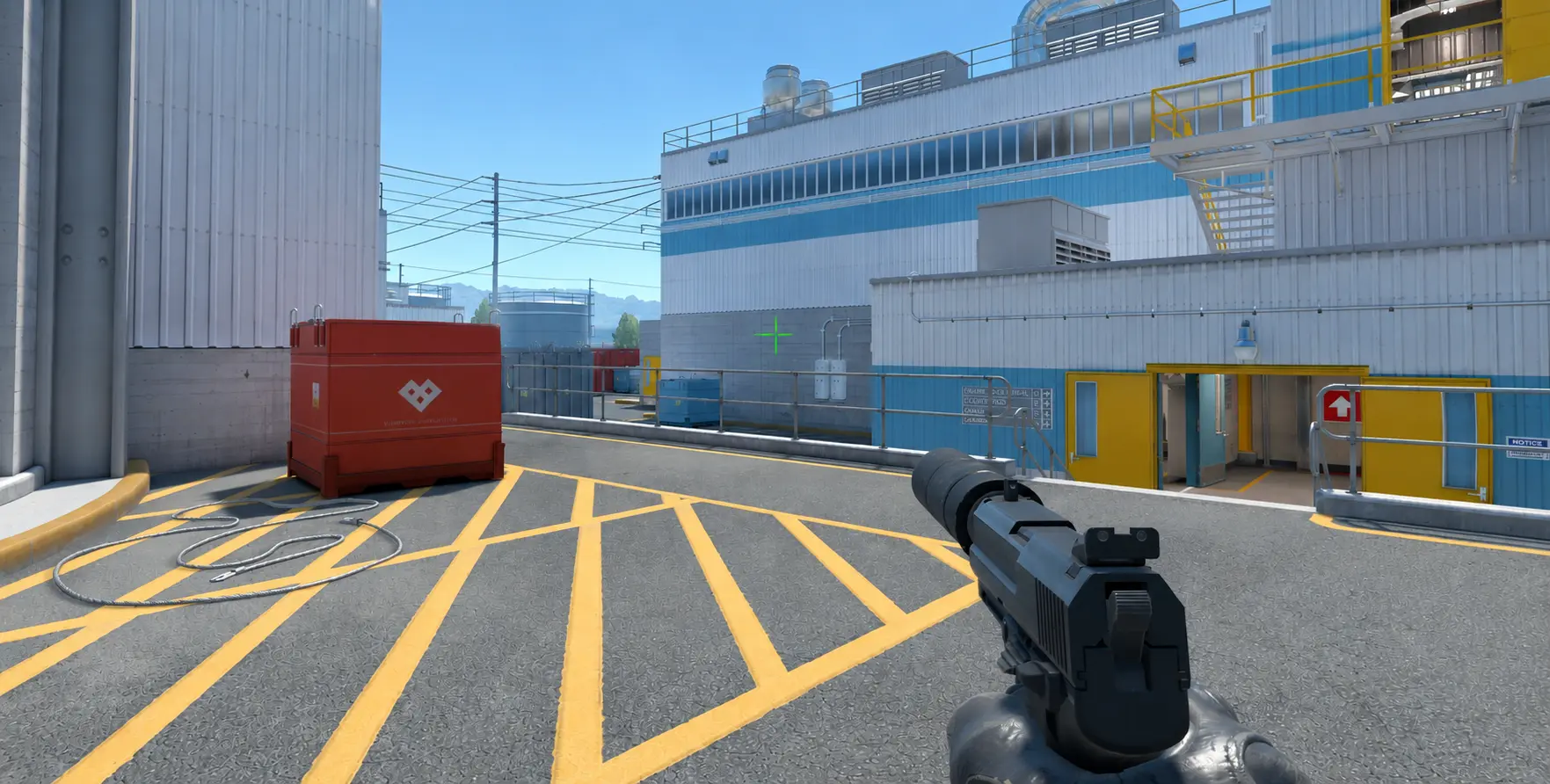
A static crosshair in CS2 is a crosshair that does not change its shape while moving, shooting, or jumping. No matter what is happening on the screen, its size, gap, and overall appearance remain the same.
Professional Counter-Strike 2 players prefer static crosshairs for this very reason. They allow players to focus entirely on aiming without being distracted by additional animations. However, it's important to understand that a static crosshair does not improve your aim by itself. It simply provides a consistent crosshair display, while its size, color, line thickness, and gap should be adjusted to match each player's personal preferences.
How to Make a Static Crosshair in CS2 Using the Settings
If you don't want to use the developer console, you can enable a static crosshair through the standard Counter-Strike 2 settings. This method is suitable for most players and takes less than a minute.
- Launch Counter-Strike 2.
- Open Settings.
- Go to Game → Crosshair.
- Disable Follow Recoil if it is enabled.
- Select the Classic (Static) crosshair style.
- Adjust the size, line thickness, gap, and color if needed.
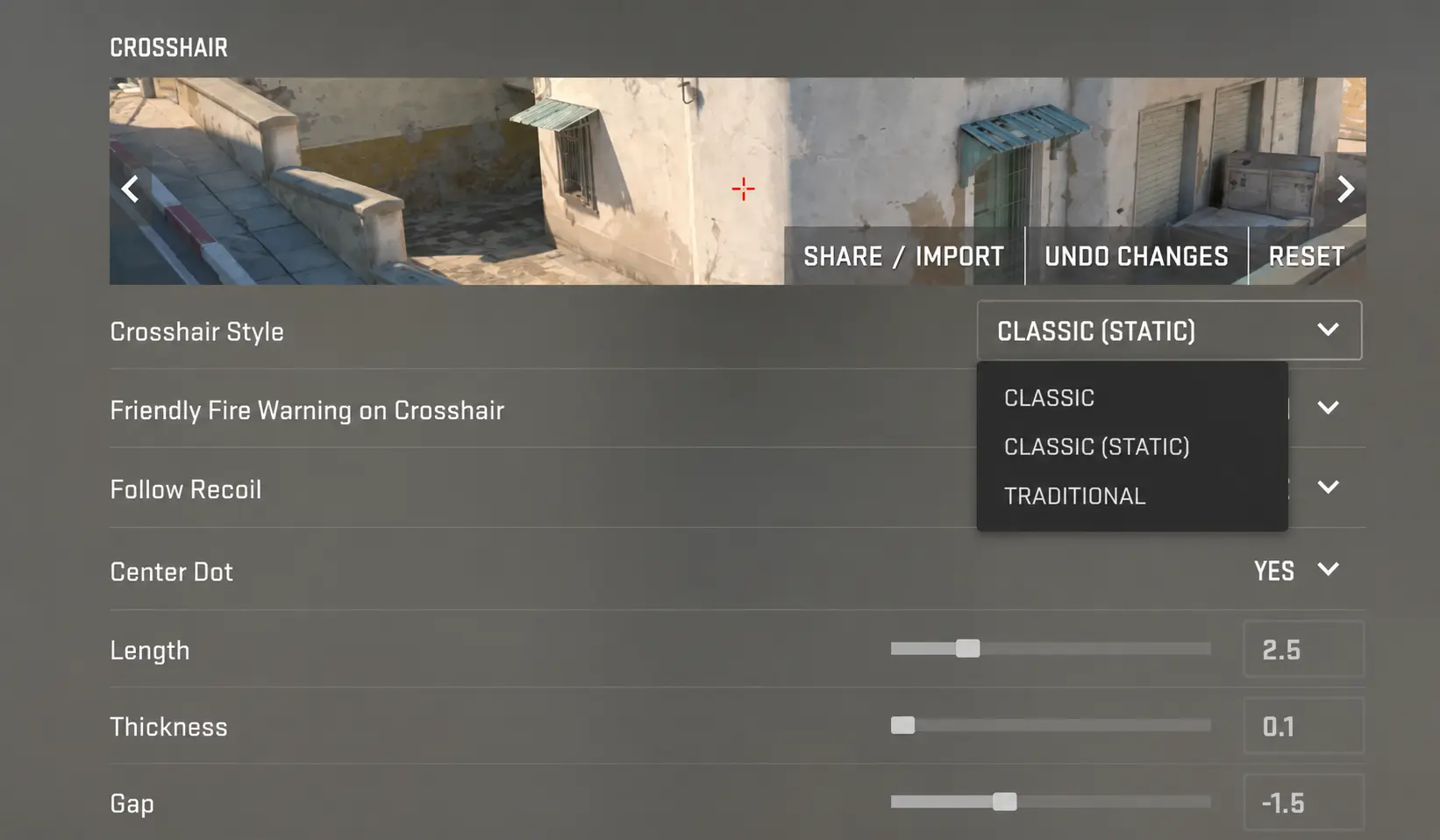
After saving the settings, your crosshair will no longer change its size or shape while moving or shooting. You can also customize its appearance further by adjusting its color, thickness, size, or outline to make it more visible or better suited to your preferences.
How to Make a Static Crosshair in CS2 Using the Console
Many players prefer configuring Counter-Strike 2 through the developer console. This method allows you to change your crosshair settings instantly without navigating through the in-game menus. Simply enter the required console command once, and the changes will take effect immediately.
To make your crosshair completely static, open the developer console (press the ~ key) and enter the following command:
After applying
the command, your crosshair will no longer change its shape while moving or firing. This style is used by most professional Counter-Strike 2 players because it provides a consistent crosshair appearance in every situation, making recoil control easier and helping players build more reliable muscle memory.
Static Crosshairs Used by Professional Players
Nearly all professional Counter-Strike 2 players use static crosshairs. While their settings differ in color, size, thickness, and gap, they all share one important characteristic—the crosshair remains fixed during movement and shooting. This provides a consistent point of aim, making it easier to track targets and develop accurate muscle memory.
Below are the crosshair settings of some of the most popular professional players. You can import any of them using a Crosshair Share Code and test them in-game.
donk's Static Crosshair
donk is a professional Counter-Strike 2 player and one of the best riflers in the world. He uses a compact static crosshair that offers excellent visibility while taking up minimal screen space, making it ideal for his aggressive playstyle.

ZywOo's Static Crosshair
ZywOo is a professional Counter-Strike 2 player for Team Vitality and one of the best AWPers in the world. He uses a small static crosshair that provides excellent visibility without blocking targets, making it a reliable choice for both AWP and rifle play on every map.
m0NESY's Static Crosshair
m0NESY is one of the world's top AWPers. He prefers a small static crosshair that allows for quick target switching while maintaining excellent visibility throughout the match.
In Conclusion
A static crosshair in CS2 is an excellent choice for players who want a consistent aiming experience in every situation. Because it doesn't change its size or shape while moving or shooting, it provides a stable reference point, making it easier to build muscle memory, improve accuracy, and maintain better crosshair placement.
Whether you enable a static crosshair through the in-game settings or by using the developer console, it's worth experimenting with different styles to find what feels most comfortable. You can also try the crosshair settings used by professional players such as donk, ZywOo, and m0NESY to see which configuration best matches your playstyle.
Random CS2 Guides