
Learn how to make a static crosshair in CS2 using game settings or a console command.
30 June 2026
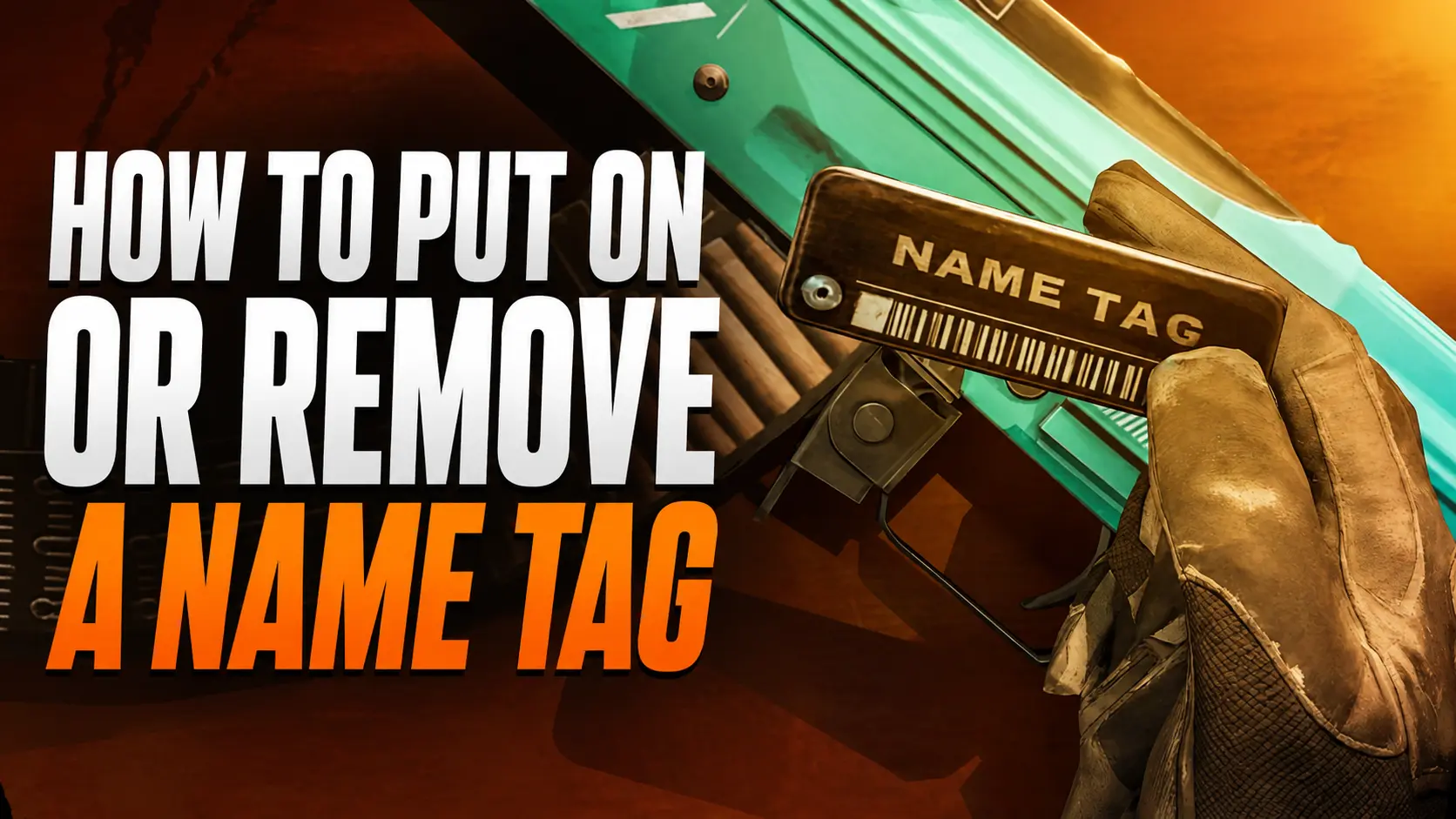
How to Add or Remove a Name Tag in CS
Weapon customization plays a major role in Counter-Strike 2. Players can change skins, apply stickers, and even give their weapons custom names. To do this, you'll need a special item called a Name Tag. It allows you to rename almost any weapon in your inventory and make it truly unique.
Many players use Name Tags for more than just customization. A creative weapon name can become part of your personal style or even a fun way to troll your opponents. In this guide, we'll explain what a CS2 Name Tag is, how to rename your weapon, which symbols you can use, and how much a Name Tag costs.
What Is a Name Tag in CS2?
A Name Tag is a special item that allows you to replace a weapon's default name with a custom one. Once applied, the weapon will display an engraved nameplate featuring your chosen name. This custom name is visible in your inventory, the buy menu, and whenever the weapon is inspected.
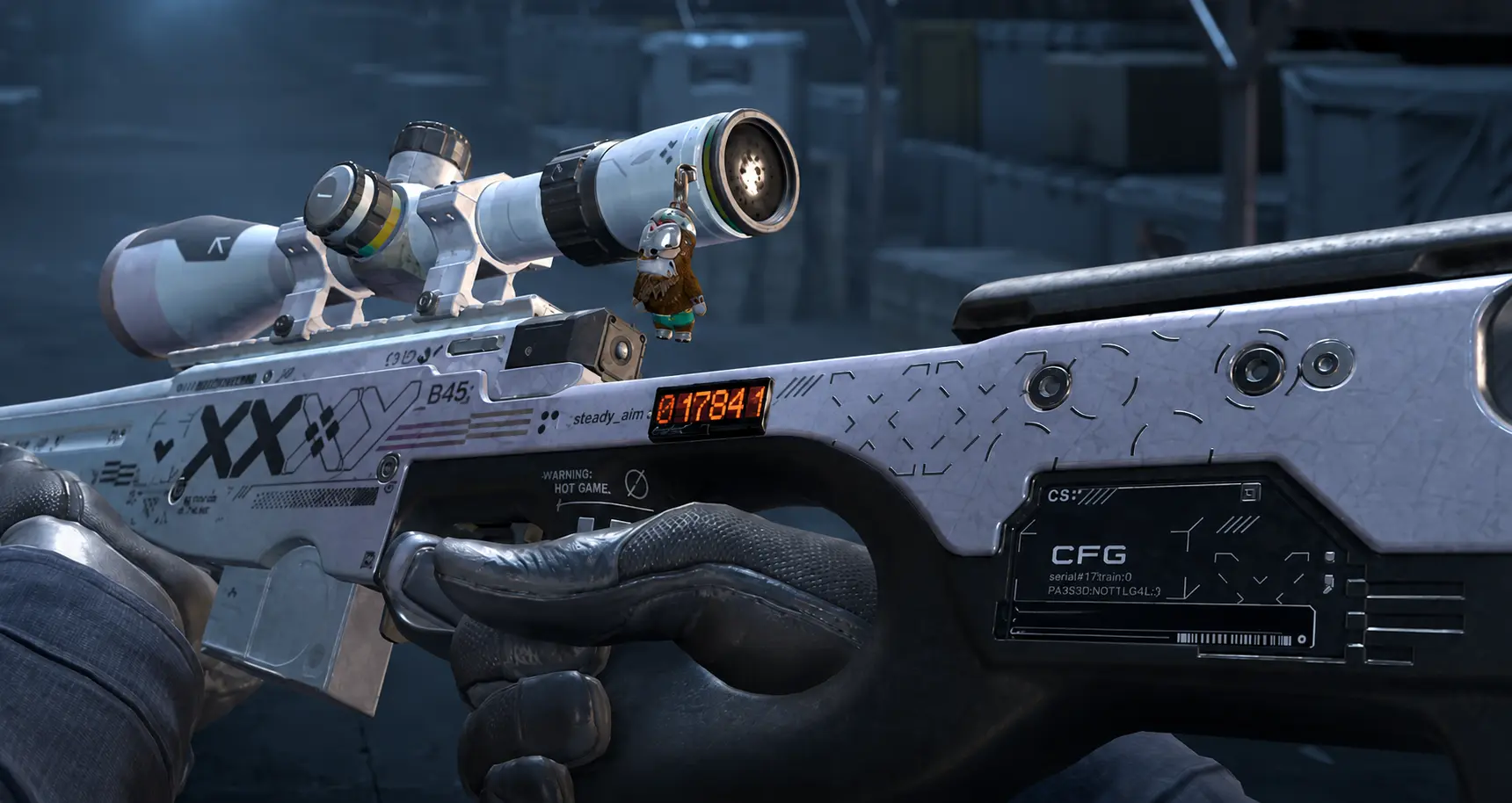
A Name Tag is a one-time-use item. Once it has been applied to a weapon, it is permanently consumed. If you want to change the weapon's name again in the future, you'll need to use another Name Tag.
The Name Tag was first introduced in Counter-Strike: Global Offensive and quickly became a popular customization feature. Renaming your weapon is a simple way to add personality to even the most basic skin and make your inventory feel more unique.
How to Rename a Weapon in CS2
Renaming a weapon in Counter-Strike 2 only takes a few seconds. First, you'll need to purchase a Name Tag from the CS2 in-game Store.
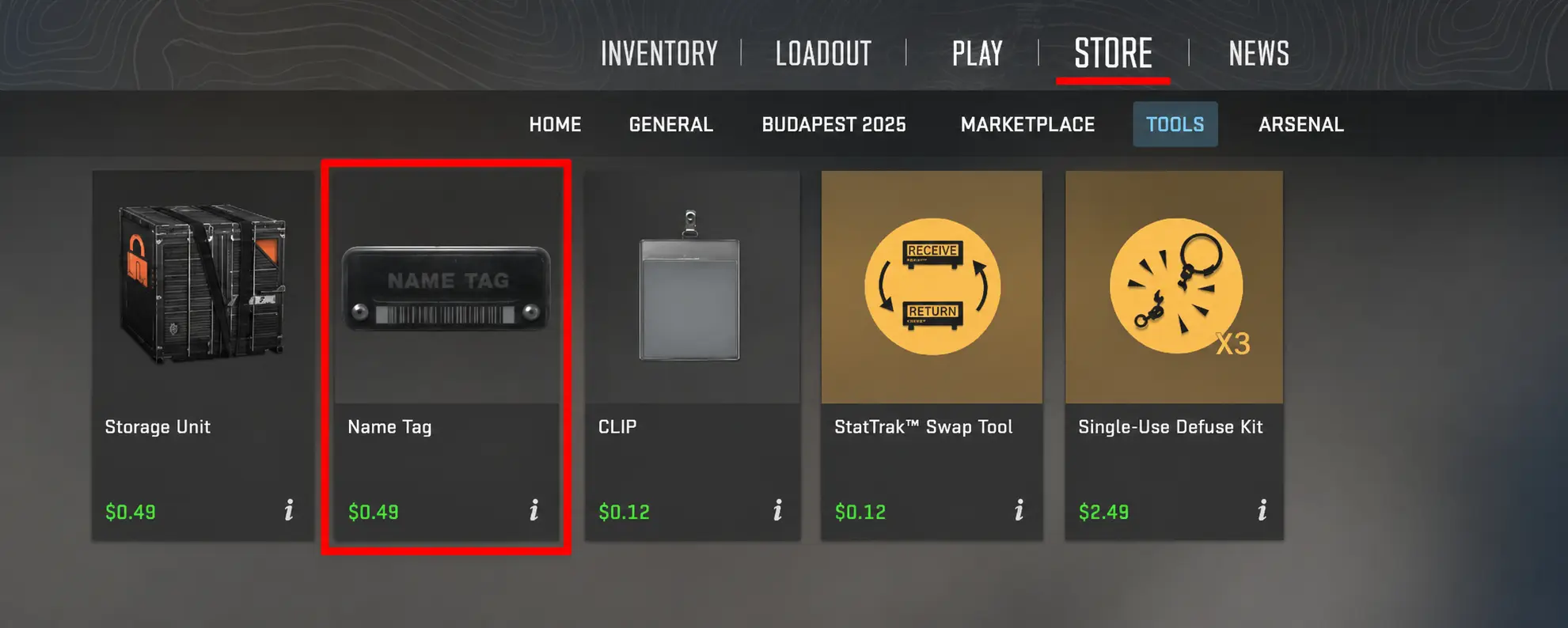
After purchasing a Name Tag, it will automatically appear in your Steam inventory. To rename a weapon, open your inventory, select the Name Tag, and apply it to the weapon of your choice.
A text box will then appear, allowing you to enter a new name. Once you confirm the change, your weapon will permanently receive its new name, which will be displayed throughout the game.
Name Tag Restrictions in CS2
Valve has set several limitations for using Name Tags. The main restriction is the weapon name length: the maximum number of characters is 20, including spaces.
There are also rules regarding certain symbols and words. For example, offensive language and other content that violates Steam’s guidelines is not allowed. If a name breaks platform rules, it may be automatically blocked or rejected.
Symbols for CS2 Name Tags
Many players try to make weapon names more unique by using special characters. Name Tags allow the use of letters, numbers, and some special symbols, including:
A–Z, a–z, 0–9, as well as characters like ! @ # $ % ^ & * and others. These can be used to create more creative and distinctive weapon names.
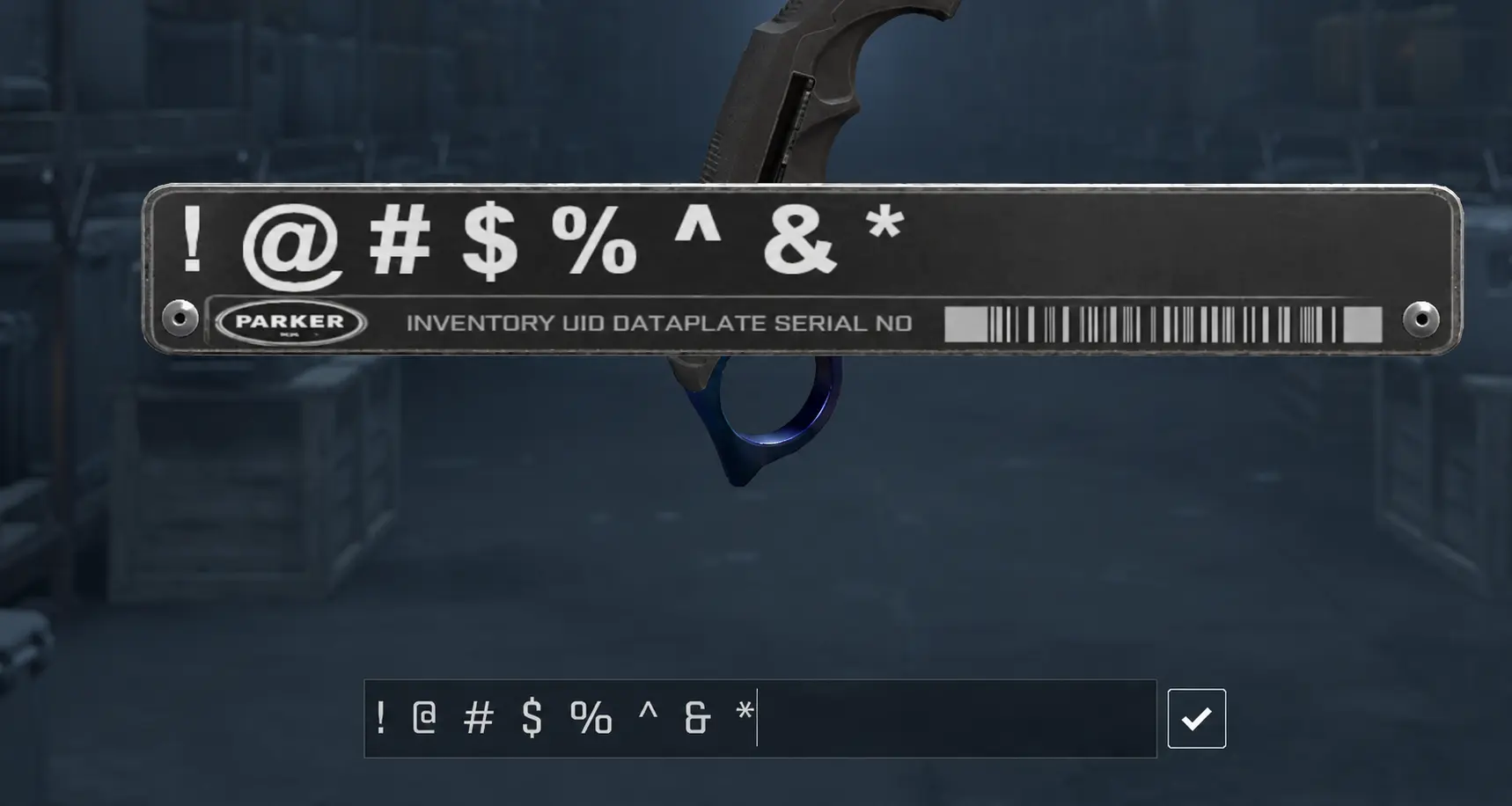
Sometimes players use Unicode characters to add unusual symbols, stylized letters, or visual accents to weapon names. This approach helps make a CS2 Name Tag more noticeable and gives weapons a unique personal style.
List of Working Symbols for CS2 Name Tags
Below is a collection of working CS2 Name Tag symbols. They are grouped by category to make it easier to choose the right style for your weapon, knife, or any other item in your inventory.
Weather Symbols for Name Tags
These symbols are suitable for light, atmospheric, and creative names:
° ☀ ☼ ☁ ❆ ❅ ❄ ⛈ ⛱ ☄
Hand and Smiley Symbols
Good for funny, ironic, or more expressive weapon names:
☜ ☞ ☟ ☺ ☹ ☻ ∞ © ☠
Shapes, Blocks, and Arrows
Often used for decorative styling and separating parts of a name:
▖ ▗ ▘ ▙ ▚ ▛ ▜ ▝ ▞ ▟ ■ □ ▢ ▣ ▤ ▥ ▦ ▧ ▨ ▩ ▪ ▫ ▬ ▭ ▮ ▯ ▰ ▱ ▲ △ ▴ ▵ ▶ ▷ ▸ ▹ ► ▻ ▼ ▽ ▾ ▿ ◀ ◁ ◂ ◃ ◄ ◅ ◆ ◇ ◈ ◉ ◊ ○ ◌ ◍ ◎ ● ◐ ◑ ◒ ◓ ◔ ◕ ◖ ◗ ◘ ◙ ◚ ◛ ◜ ◝ ◞ ◟ ◠ ◡ ◢ ◣ ◤ ◥ ◦ ◧ ◨ ◩ ◪ ◫ ◬ ◭ ◮ ◯ ◰ ◱ ◲ ◳ ◴ ◵ ◶ ◷ ◸ ◹ ◺ ◻ ◼ ◽ ◾ ◿
Special Decorative Symbols
A wide set of commonly used Unicode icons for creative Name Tags:
☀ ☁ ☂ ☃ ☄ ★ ☆ ☇ ☈ ☉ ☊ ☋ ☌ ☍ ☎ ☏ ☐ ☑ ☒ ☓ ☖ ☗ ☘ ☙ ☚ ☛ ☡ ☢ ☣ ☤ ☥ ☧ ☨ ☩ ☪ ☫ ☬ ☭ ☮ ☯ ☰ ☱ ☲ ☳ ☴ ☵ ☶ ☷ ♮ ♯ ♰ ♱ ✁ ✂ ✃ ✄ ✆ ✇ ✈ ✉ ✎ ✏ ✐ ✑ ✒ ✓ ☢ ☣ ☯ ☮ ☣ ☬ ☪ ☦ ✡ 〄 ♨ ☸ ⌘ ✔ ✕ ✖ ✗ ✘ ✙ ✚ ✛ ✜ ✝ ✞ ✟ ✠ ✡ ✢ ✣ ✤ ✥ ✦ ✧ ✩ ✪ ✫ ✬ ✭ ✮ ✯ ✰ ✱ ✲ ✳ ✴ ✵ ✶ ✷ ✸ ✹ ✺ ✻ ✼ ✽ ✾ ✿ ❀ ❁ ❂ ❃ ❄ ❅ ❆ ❇ ❈ ❉ ❊ ❋ ❍ ❏ ❐ ❑ ❒ ❖ ❡ ❢ ❣ ❤ ❥ ❦ ❧ ❘ ❙ ❚ ❛ ❜ ❝ ❞ ➱ ➲ ➳ ➴ ➵ ➶ ➷ ➸ ➘ ➙ ➚ ➛ ➜ ➝ ➞ ➟ ➠ ➡ ➢ ➣ ➤ ➥ ➦ ➧ ➨ ➩ ➪ ➫ ➬ ➭ ➮ ➯ ➔ ➹ ➺ ➻ ➼ ➽ ➾ ➿ ⟠ ⟡ ⟦ ⟧ ⟨ ⟩ ⟪ ⟫ ⟰ ⟱ ⟲ ⟳ ⟴ ⟵☘ ♩ ♪ ♫ ♬ ♭ ♮ ♯
Currency Symbols
$ £ ¢ ₽ ₿ €
Numbers and Unicode Numbering (1–20 and A–Z)
Useful for series-style or collectible names:
① ② ③ ④ ⑤ ⑥ ⑦ ⑧ ⑨ ⑩ ⑪ ⑫ ⑬ ⑭ ⑮ ⑯ ⑰ ⑱ ⑲ ⑳ ⑴ ⑵ ⑶ ⑷ ⑸ ⑹ ⑺ ⑻ ⑼ ⑽ ⑾ ⑿ ⒀ ⒁ ⒂ ⒃ ⒄ ⒅ ⒆ ⒇ ⒈ ⒉ ⒊ ⒋ ⒌ ⒍ ⒎ ⒏ ⒐ ⒑ ⒒ ⒓ ⒔ ⒕ ⒖ ⒗ ⒘ ⒙ ⒚ ⒛ ⒜ ⒝ ⒞ ⒟ ⒠ ⒡ ⒢ ⒣ ⒤ ⒥ ⒦ ⒧ ⒨ ⒩ ⒪ ⒫ ⒬ ⒭ ⒮ ⒯ ⒰ ⒱ ⒲ ⒳ ⒴ ⒵ Ⓐ Ⓑ Ⓒ Ⓓ Ⓔ Ⓕ Ⓖ Ⓗ Ⓘ Ⓙ Ⓚ Ⓛ Ⓜ Ⓝ Ⓞ Ⓟ Ⓠ Ⓡ Ⓢ Ⓣ Ⓤ Ⓥ Ⓦ Ⓧ Ⓨ Ⓩ ⓐ ⓑ ⓒ ⓓ ⓔ ⓕ ⓖ ⓗ ⓘ ⓙ ⓚ ⓛ ⓜ ⓝ ⓞ ⓟ ⓠ ⓡ ⓢ ⓣ ⓤ ⓥ ⓦ ⓧ ⓨ ⓩ ⓪ ⓿ ❶ ❷ ❸ ❹ ❺ ❻ ❼ ❽ ❾ ❿ ⓫ ⓬ ⓭ ⓮ ⓯ ⓰ ⓱ ⓲ ⓳ ⓴
Lines, Borders, and Cross Symbols
Often used for frames, separators, or stylized layouts:
─ ━ │ ┃ ┄ ┅ ┆ ┇ ┈ ┉ ┊ ┋ ┌ ┍ ┎ ┏ ┐ ┑ ┒ ┓ └ ┕ ┖ ┗ ┘ ┙ ┚ ┛ ├ ┝ ┞ ┟ ┠ ┡ ┢ ┣ ┤ ┥ ┦ ┧ ┨ ┩ ┪ ┫ ┬ ┭ ┮ ┯ ┰ ┱ ┲ ┳ ┴ ┵ ┶ ┷ ┸ ┹ ┺ ┻ ┼ ┽ ┾ ┿ ╀ ╁ ╂ ╃ ╄ ╅ ╆ ╇ ╈ ╉ ╊ ╋ ╌ ╍ ╎ ╏ ═ ║ ╒ ╓ ╔ ╕ ╖ ╗ ╘ ╙ ╚ ╛ ╜ ╝ ╞ ╟ ╠ ╡ ╢ ╣ ╤ ╥ ╦ ╧ ╨ ╩ ╪ ╫ ╬ ╭ ╮ ╯ ╰ ╱ ╲ ╳ ╴ ╵ ╶ ╷ ╸ ╹ ╺ ╻ ╼ ╽ ╾ ╿ ▀ ▁ ▂ ▃ ▄ ▅ ▆ ▇ █ ▉ ▊ ▋ ▌ ▍ ▎ ▏ ▐ ░ ▒ ▓ ▔ ▕ 𝌴
Stylized Greek and Latin Letters
These letters are used to create unique-looking names:
ᴀ ᴁ ᴂ ᴃ ᴄ ᴅ ᴆ ᴇ ᴈ ᴉ ᴊ ᴋ ᴌ ᴍ ᴎ ᴏ ᴐ ᴑ ᴒ ᴓ ᴔ ᴕ ᴖ ᴗ ᴘ ᴙ ᴚ ᴛ ᴜ ᴝ ᴞ ᴟ ᴠ ᴡ ᴢ ᴣ ᴤ ᴥ ᴦ ᴧ ᴨ ᴩ ᴪ ᴫ ᴬ ᴭ ᴮ ᴯ ᴰ ᴱ ᴲ ᴳ ᴴ ᴵ ᴶ ᴷ ᴸ ᴹ ᴺ ᴻ ᴼ ᴽ ᴾ ᴿ ᵀ ᵁ ᵂ ᵃ ᵄ ᵅ ᵆ ᵇ ᵈ ᵉ ᵊ ᵋ ᵌ ᵍ ᵎ ᵏ ᵐ ᵑ ᵒ ᵓ ᵔ ᵕ ᵖ ᵗ ᵘ ᵙ ᵚ ᵛ ᵜ ᵝ ᵞ ᵟ ᵠ ᵡ ᵢ ᵣ ᵤ ᵥ ᵦ ᵧ ᵨ ᵩ ᵪ ᵫ ᵬ ᵭ ᵮ ᵯ ᵰ ᵱ ᵲ ᵳ ᵴ ᵵ ᵶ ᵷ ᵸ ᵹ ᵺ ᵻ ᵼ ᵽ ᵾ ᵿ ᶀ ᶁ ᶂ ᶃ ᶄ ᶅ ᶆ ᶇ ᶈ ᶉ ᶊ ᶋ ᶌ ᶍ ᶎ ᶏ ᶐ ᶑ ᶒ ᶓ ᶔ ᶕ ᶖ ᶗ ᶘ ᶙ ᶚ ᶛ ᶜ ᶝ ᶞ ᶟ ᶠ ᶡ ᶢ ᶣ ᶤ ᶥ ᶦ ᶧ ᶨ ᶩ ᶪ ᶫ ᶬ ᶭ ᶮ ᶯ ᶰ ᶱ ᶲ ᶳ ᶴ ᶵ ᶶ ᶷ ᶸ ᶹ ᶺ ᶻ ᶼ ᶽ ᶾ ᶿ ῲ ῳ ῴ ῶ ῷ Ὸ Ό Ὼ Ώ ῼ ⍳ ⍴ ⍵ ⍶ ⍷ ⍸ ⍹ ⍺
Mathematical and Physics Symbols
These are used for more creative or “technical” style names:
× ℂ ℃ ℄ ℅ ℆ ℇ ℈ ℉ ℊ ℋ ℌ ℍ ℎ ℏ ℐ ℑ ℒ ℓ ℔ ℕ № ℗ ℘ ℙ ℚ ℛ ℜ ℝ ℞ ℟ ℠ ℡ ™ ℣ ℤ ℥ Ω ℧ ℨ ℩ K Å ℬ ℭ ℮ ℯ ℰ ℱ Ⅎ ℳ ℴ ⅓ ⅔ ⅕ ⅖ ⅗ ⅘ ⅙ ⅚ ⅛ ⅜ ⅝ ⅞ ⅟ ℵ ℶ ℷ ℸ ℹ ℺ ℻ ℽ ℾ ℿ ⅀ ⅁ ⅂ ⅃ ⅄ ⅅ ⅆ ⅇ ⅈ ⅉ ⅊ ⅋ ⅍ ⅎ Ⅽ Ⅾ Ⅿ ∀ ∁ ∂ ∃ ∄ ∅ ∆ ∇ ∈ ∉ ∊ ∋ ∌ ∍ ∎ ∏ ∐ ∑ − ∓ ∔ ∕ ∖ ∗ ∘ ∙ √ ∛ ∜ ∝ ∞ ∟ ∠ ∡ ∢ ∣ ∤ ∥ ∦ ∧ ∨ ∩ ∪ ∫ ∬ ∭ ∮ ∯ ∰ ∱ ∲ ∳ ∴ ∵ ∶ ∷ ∸ ∹ ∺ ∻ ∼ ∽ ∾ ∿ ≀ ≁ ≂ ≃ ≄ ≅ ≆ ≇ ≈ ≉ ≊ ≋ ≌ ≍ ≎ ≏ ≐ ≑ ≒ ≓ ≔ ≕ ≖ ≗ ≘ ≙ ≚ ≛ ≜ ≝ ≞ ≟ ≠ ≡ ≢ ≣ ≤ ≥ ≦ ≧ ≨ ≩ ≪ ≫ ≬ ≭ ≮ ≯ ≰ ≱ ≲ ≳ ≴ ≵ ≶ ≷ ≸ ≹ ≺ ≻ ≼ ≽ ≾ ≿ ⊀ ⊁ ⊂ ⊃ ⊄ ⊅ ⊆ ⊇ ⊈ ⊉ ⊊ ⊋ ⊌ ⊍ ⊎ ⋐ ⋑ ⋒ ⋓ ⋔ ⋕ ⋖ ⋗ ⋘ ⋙ ⋚ ⋛ ⋜ ⋝ ⋞ ⋟ ⋠ ⋡ ⋢ ⋣ ⋤ ⋥ ⋦ ⋧ ⋨ ⋩ ⋪ ⋫ ⋬ ⋭ ⋮ ⋯ ⋰ ⋱ ⋲ ⋳ ⋴ ⋵ ⋶ ⋷ ⋸ ⋹ ⋺ ⋻ ⋼ ⋽ ⋾ ⋿ ⌀
Roman Numerals
Often used for ranking or numbered weapon sets:
ⅰ ⅱ ⅲ ⅳ ⅴ ⅵ ⅶ ⅷ ⅸ ⅹ ⅺ ⅻ ⅼ Ⅰ Ⅱ Ⅲ Ⅳ Ⅴ Ⅵ Ⅶ Ⅷ Ⅸ Ⅹ Ⅺ Ⅻ Ⅼ
Arrows and Direction Symbols
Great for highlighting or framing names:
← ↑ → ↓ ↔ ↕ ↖ ↗ ↘ ↙ ↚ ↛ ↜ ↝ ↞ ↟ ↠ ↡ ↢ ↣ ↤ ↥ ↦ ↧ ↨ ↩ ↪ ↫ ↬ ↭ ↮ ↯ ↰ ↱ ↲ ↳ ↴ ↵ ↶ ↷ ↸ ↹ ↺ ↻ ↼ ↽ ↾ ↿ ⇀ ⇁ ⇂ ⇃ ⇄ ⇅ ⇆ ⇇ ⇈ ⇉ ⇊ ⇋ ⇌ ⇍ ⇎ ⇏ ⇐ ⇑ ⇒ ⇓ ⇔ ⇕ ⇖ ⇗ ⇘ ⇙ ⇚ ⇛ ⇜ ⇝ ⇞ ⇟ ⇠ ⇡ ⇢ ⇣ ⇤ ⇥ ⇦ ⇧ ⇨ ⇩ ⇪ ⇫ ⇬ ⇭ ⇮ ⇯ ⇰ ⇱ ⇲ ⇳ ⇴ ⇵ ⇶ ⇷ ⇸ ⇹ ⇺ ⇻ ⇼ ⇽ ⇾ ⇿ ⊲ ⊳ ⊴ ⊵ ⊶ ⊷ ⊸ ⊹ ⊺ ⊻ ⊼ ⊽ ⊾ ⊿ ⋀ ⋁ ⋂ ⋃ ⋄ ⋅ ⋆ ⋇ ⋈ ⋉ ⋊ ⋋ ⋌ ⋍ ⋎ ⋏ ⌁ ⌂ ⌃ ⌄ ⌅ ⌆ ⌇ ⌈ ⌉ ⌊ ⌋ ⌌ ⌍ ⌎ ⌏ ⌐ ⌑ ⌒ ⌓ ⌔ ⌕ ⌖ ⌗ ⌘ ⌙ ⌚ ⌛ ⌜ ⌝ ⌞ ⌟ ⌠ ⌡ ⌢ ⌣ ⌤ ⌥ ⌦ ⌧ ⏎ ⏏ ⟶ ⟷ ⟸ ⟹ ⟺ ⟻ ⟼ ⟽ ⟾ ⟿ ⤀ ⤁ ⤂ ⤃ ⤄ ⤅ ⤆ ⤇ ⤈ ⤉ ⤊ ⤋ ⤌ ⤍ ⤎ ⤏ ⤐ ⤑ ⤒ ⤓ ⤔ ⤕ ⤖ ⤗ ⤘ ⤙ ⤚ ⤛ ⤜ ⤝ ⤞ ⤟ ⤠ ⤡
Playing Card Symbols
Used for stylish or themed weapon names:
♕ ♖ ♗ ♘ ♙ ♚ ♛ ♜ ♝ ♞ ♟ ♠ ♡ ♢ ♣ ♤ ♥ ♦ ♧
CS2 Name Tag Ideas
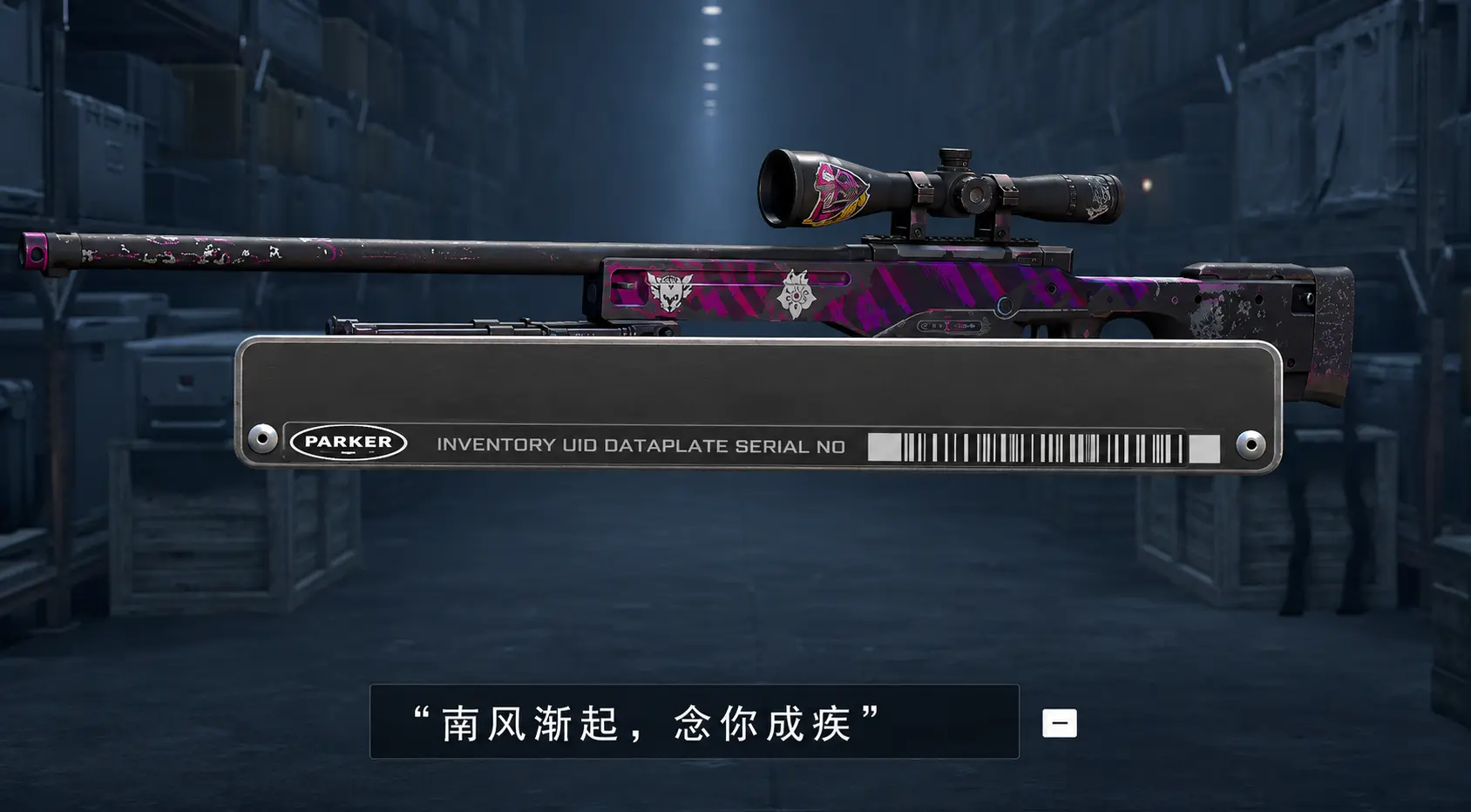
Weapon names often reflect a player’s style. Some prefer humorous names, others choose aggressive phrases or memes from the Counter-Strike community.
Popular Name Tag choices are usually short in-game phrases. For example, players often use words like “One Tap,” “Headshot Machine,” or “Eco Destroyer.” These names look effective, are easy to read in-game, and are easy to remember.
Some players name their weapons after favorite esports athletes, use community memes, or create unique signatures for expensive skins. This is especially common among owners of knives, AWP rifles, and rare collectible items. Below are ready-made Name Tag ideas for different weapons in CS2 that you can use as they are or adapt for your own version.
Ready-Made CS2 Name Tags
Below are pre-made Name Tag ideas for popular weapons in Counter-Strike 2. The selection includes both humorous and classic names suitable for inventory customization.
Glock-18
- Water Pistol
- Glock Glock… Who’s there?
- Pew Pew
- Rush B
USP-S
- Agent 47
- James Bond
- One Tap
- KQLY Style
P2000
- USP is better
P250
- $300 Rifle
Dual Berettas
- Dualies
- Misclick
- Cowboy Cosplayer
- Wild West
Tec-9
- Autoclicker Activated
- Kek-9
- The LoL Community (Only works for Tec-9 Toxic)
Five-SeveN
- Force Buy
CZ75-Auto
- Pocket AK
- 2 Mags, 2 Frags
Desert Eagle (Deagle)
- Juan
- They talk about my 1 taps
Nova
- Duck Hunt
XM1014
- Auto Shotty
- Tilting Machine
- No Skills Needed
MAG-7
- Swag-7
- Don’t Push Smoke
- Magdonalds
Sawed-Off
- Reaper
- One Tap
MAC-10
- Mac 10/10
- Big Mac
- Swag 10
MP9
- MP90
- Eco Fragger
UMP-45
- $1200 Rifle
MP7
- Eco Round
PP-Bizon
- Anti-Eco
- Brrrrrr
- Run & Gun
P90
- Pro90
- Pepega 90
- Silver Elite Master
- Spray & Pray
- Rush B
Galil AR
- Can’t Afford AK
- AK47
- Reduce Reuse Recycle
FAMAS
- Poor Man’s M4
- FAMASk me a question
AK-47
- Headshot Machine
- No Luck All Skill
M4A4
- 98 in 4
- Dinked
- u wot m4
M4A1-S
- The Better M4
- RIP M4A4
- Silent Death
- Have an A1 Day
SG553
- Noob Gun
- AK With Scope
- Krieg 552
AUG
- Will.I.Aim?
- Call of Duty Gun
SSG 08
- AWP | Made in China
AWP
- Magic Stick
- $4750 Decoy
- Awptimus Prime
- I AWPologize
G3SG1 / SCAR-20
- AutoSniper
- Wallbanger
- Can’t Cross Mid
M249
- It was a mistake!
- Misclick
Negev
- Laser Beam
- Negever gonna give you up
- Schwarzeneggev
Knives
- I pay for pixels
- Can Opener
- u wot m9 (for M9 Bayonet)
- Blessed by RNGesus
C4 Explosive
- Remember: 7355608
- Bomb, James Bomb
- Calculator
- Don’t be a loser, kill the defuser
- To B or not to B?
- AFK
- Plant Me!
How to Remove a Name Tag
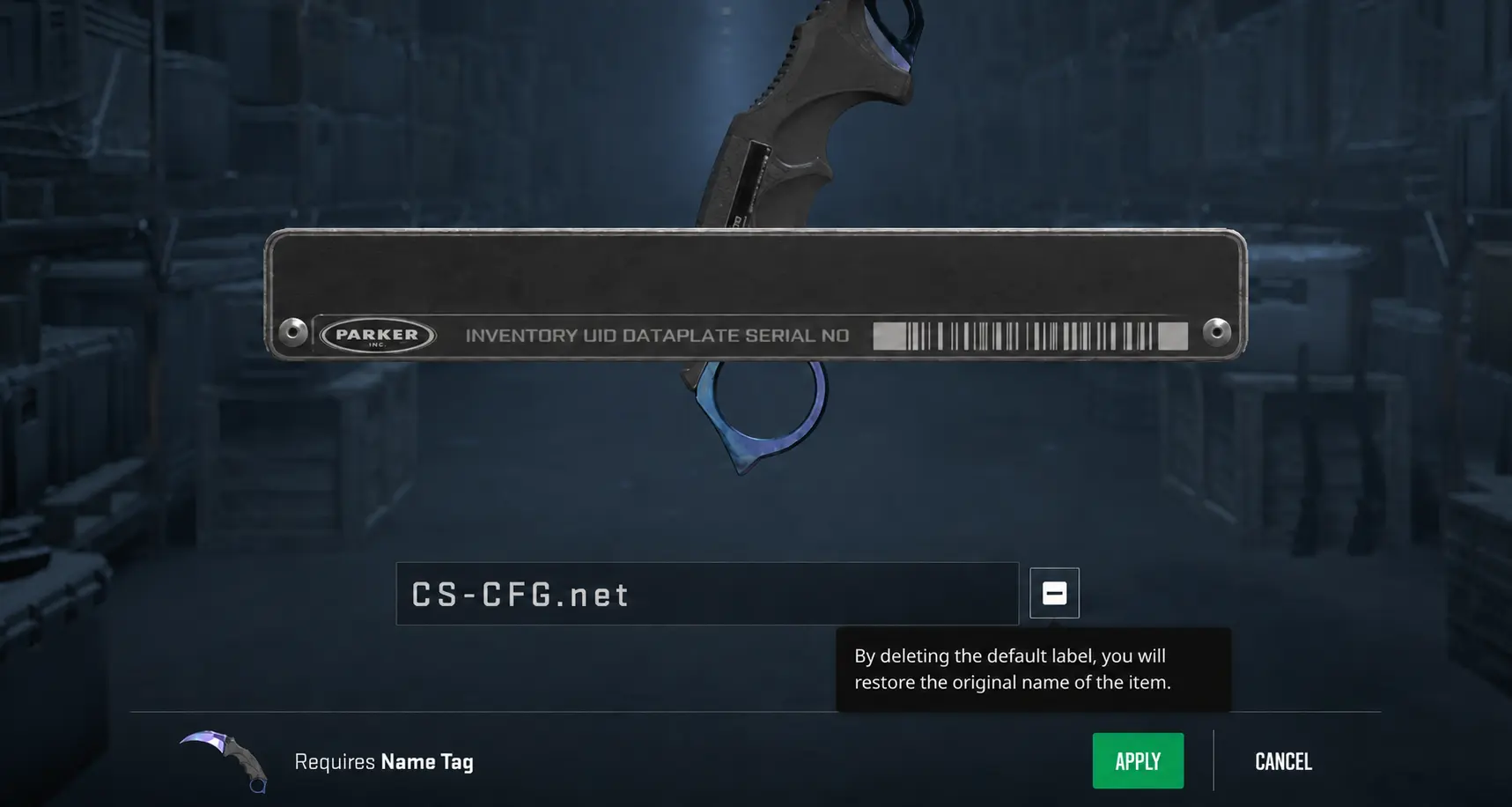
If you no longer like a weapon name, you can remove it. To do this, open the weapon rename menu again and choose the option to remove the name. After that, the weapon will return to its default name.
Random CS2 Guides
22 June 2026 Settings
Learn about the most popular crosshair types in CS2, including classic, dot, T-style, static, and dynamic crosshairs. Find out which crosshair is best for your playstyle and improve your aiming accuracy.
25 May 2026 Skins
Discover the best cheap AWP skins in CS2, including Mortis, Atheris, Neo-Noir, Chromatic Aberration, Worm God, and more. Stylish budget AWP skins for every inventory and playstyle