

How to Change Hand Position in CS
Almost every player has changed their weapon position on the screen at least once. Some want to free up more screen space, others simply dislike the default viewmodel, and some try to replicate the hand settings used by their favorite professional players.
At first glance, it may seem that weapon positioning has no impact on gameplay. To some extent, that's true, your aim won't become more accurate, and your bullets won't behave any differently. However, your overall comfort during matches depends heavily on how easily you can process the information on your screen.
In this guide, we'll go over the main commands for custmizing hand and weapon positions, explain which settings can be adjusted, and show you where to find the viewmodel settings used by professional players.
Hand Position Commands in CS2
Viewmodel customization has remained popular since the days of CS:GO. Many players still look for ways to change their hand and weapon position in CS2 to make the game feel more comfortable and to reduce the amount of screen space occupied by the weapon model.
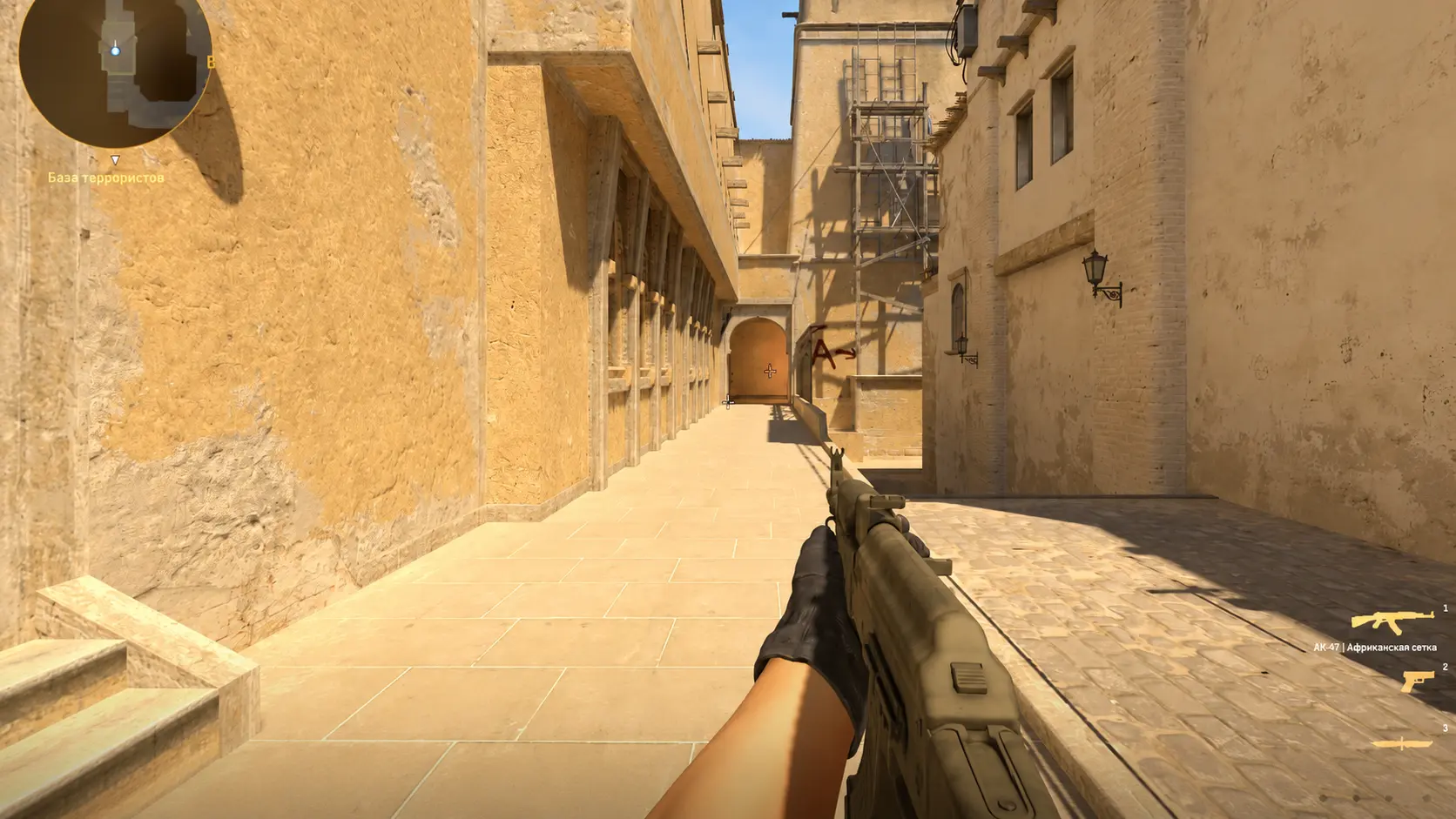
If your goal is to quickly change the position of your weapon on the screen, all you need is a few viewmodel commands. These commands control how your hands and weapon model are displayed during gameplay in CS2.
viewmodel_offset_x
viewmodel_offset_y
viewmodel_offset_z
viewmodel_fov
These commands allow you to move the weapon left or right, adjust its height, bring the viewmodel closer or farther away, and modify the view angle.
Most players looking for hand position commands in CS2 use these exact settings. Just a few small adjustments are enough to make the game look and feel completely different.
What Do Viewmodel Commands Do?
Before changing your settings, it's useful to understand what each command actually does. The combination of the parameters below allows you to fully customize your CS2 viewmodel to match your personal preferences.
Moving the Weapon Left or Right
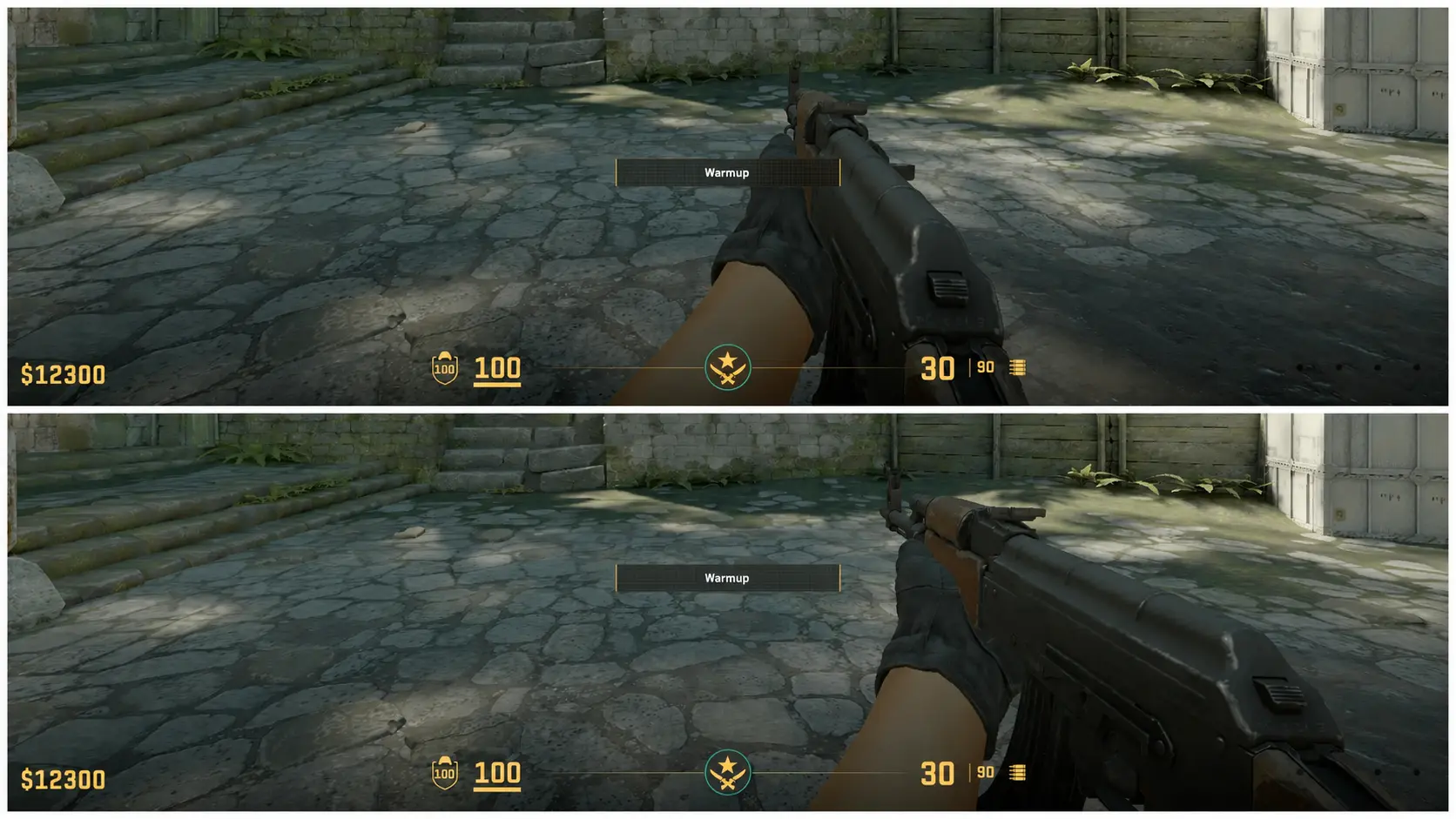
viewmodel_offset_x - moves the weapon horizontally, allowing you to shift it to the left or right side of the screen. This is the setting most commonly used by players who want to have more space in the center of their screen. The recommended range is from -2.5 to 2.
Weapon vertical offset
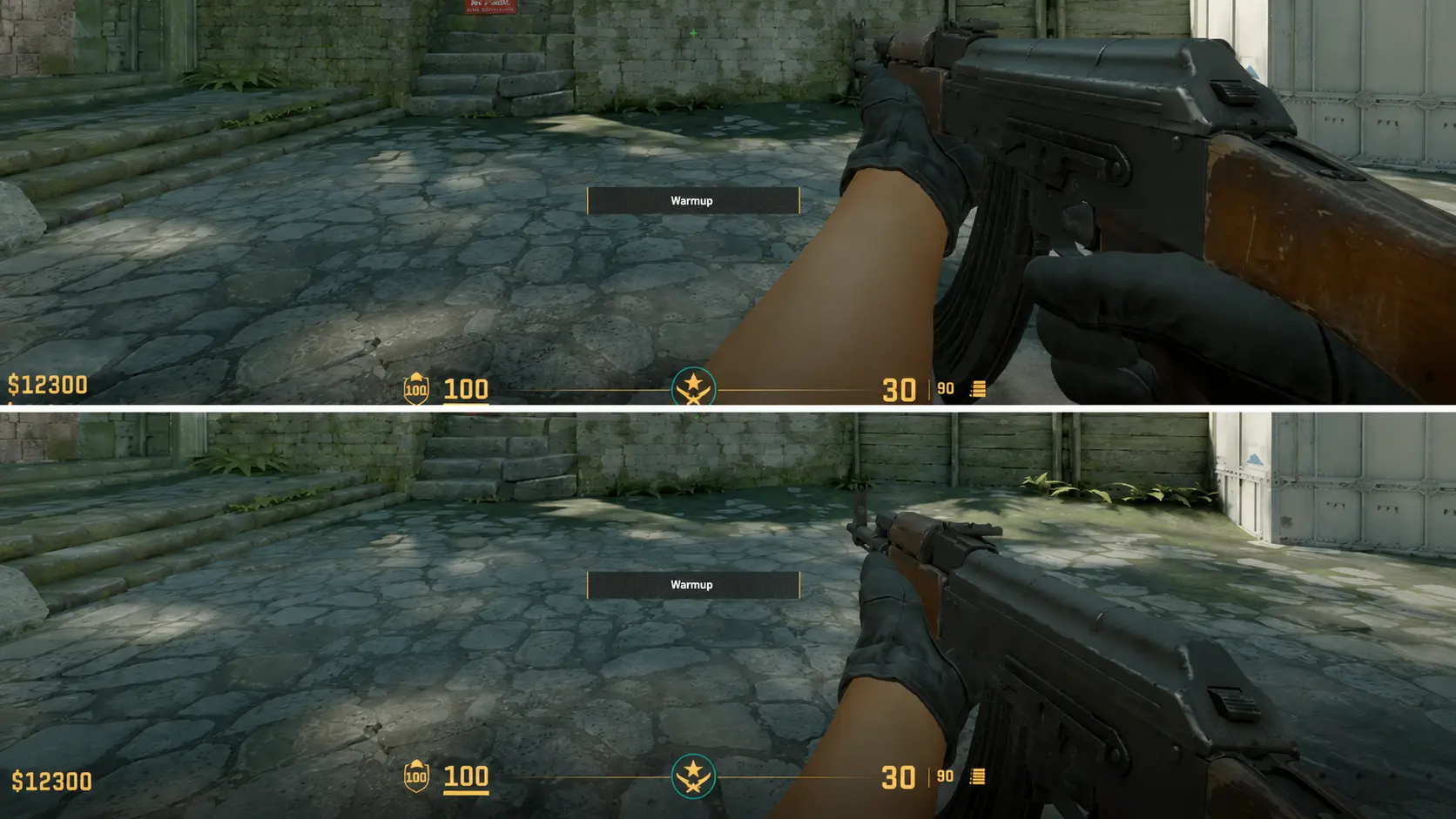
viewmodel_offset_y - changes the height of the hands. It moves the weapon up or down. Some players prefer to lower the weapon slightly so it covers less of the screen. The value ranges from -2.5 to 2.
Weapon forward/backward offset
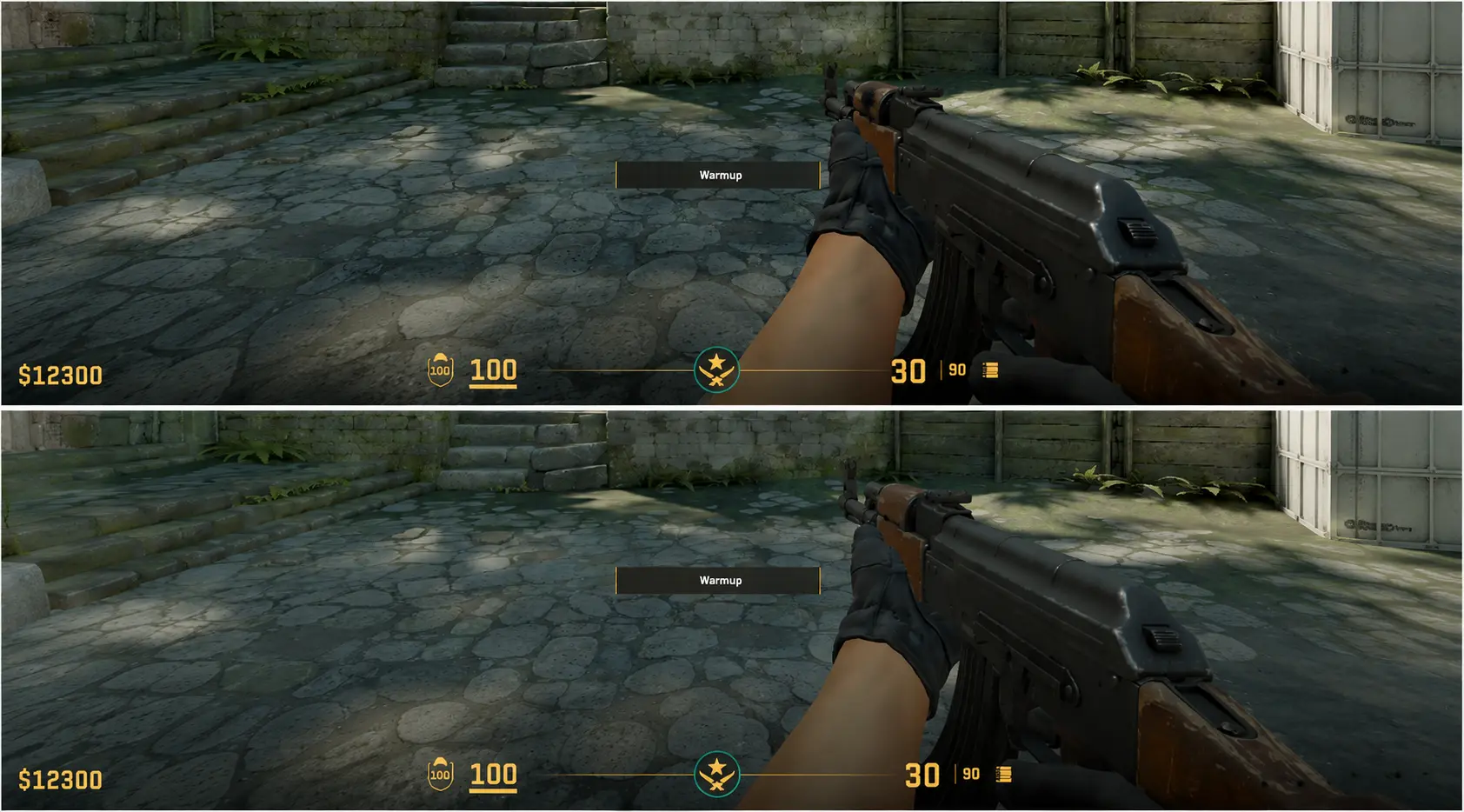
viewmodel_offset_z - controls the depth position of the model. It pulls the hands closer to the center or pushes them toward the edge of the screen. It can be used to slightly bring the weapon closer or make it less noticeable. The value ranges from -2.5 to 2.
Viewmodel FOV change
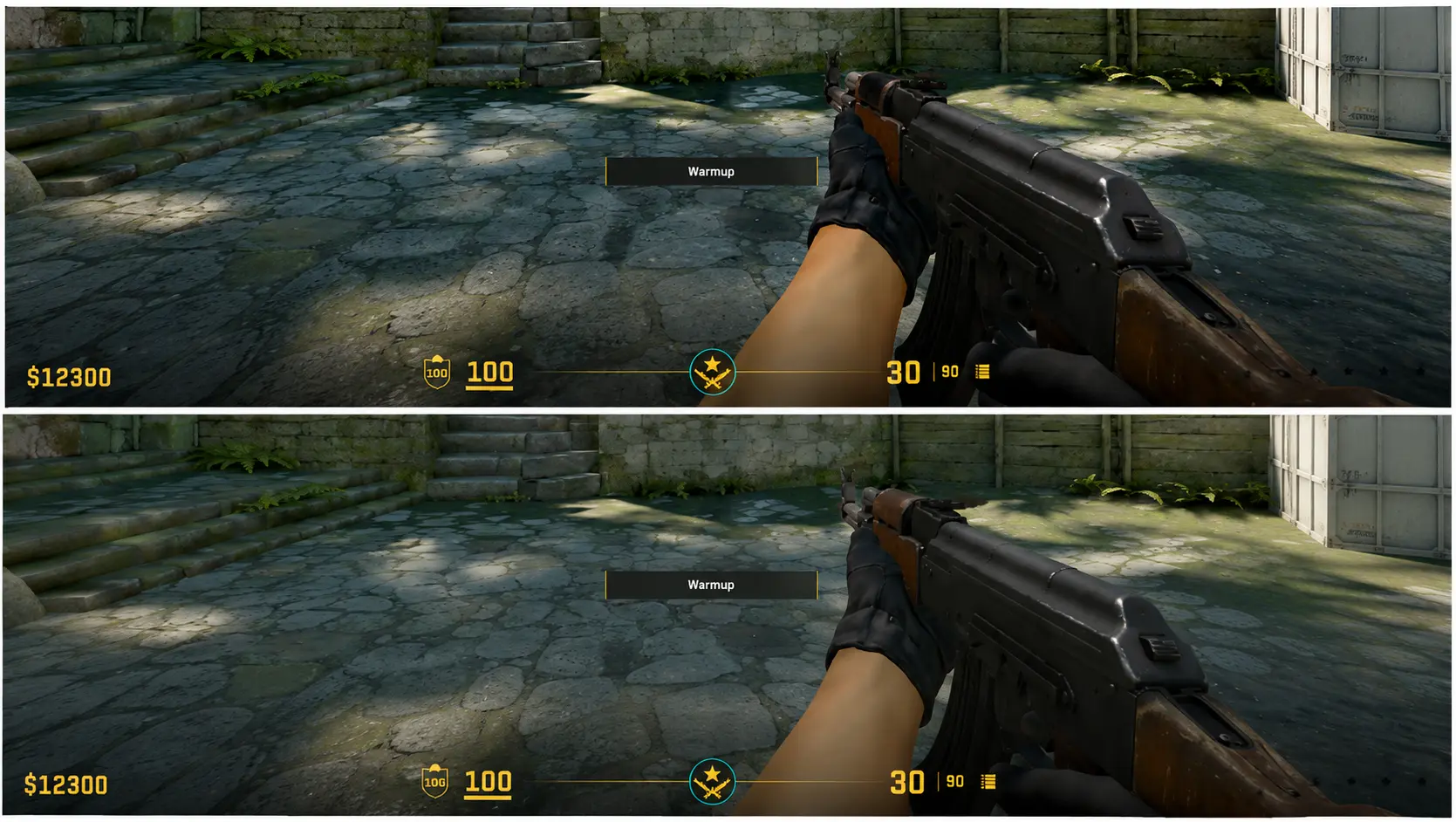
viewmodel_fov affects the view angle of the model. The higher the value, the more compact the hands and weapon appear on the screen. The value ranges from 54 to 68.
Hand positioning of professional CS2 players
One of the reasons for the popularity of viewmodel settings is the professional scene. Many players start experimenting with them after watching tournaments such as IEM Cologne Major 2026, where the strongest teams in the world compete.
For example, fans of Falcons often try to replicate m0NESY’s hand setup, since the config of one of the world’s best AWP players is considered quite comfortable and works well on most screen resolutions.
Fans of Vitality also often pay attention to ZywOo's viewmodel settings. The French star prefers a practical and comfortable weapon position that takes up very little screen space and doesn't distract during firefights. That's why many players use his settings as the foundation for their own viewmodel config.
Following Spirit's rise to the top, donk's viewmodel settings also became extremely popular. The young star quickly established himself as one of the biggest role models for the new generation of players, and thousands of Counter-Strike fans have tried his config.
With kyousuke's growing popularity, interest in his settings has also increased. Known for his sharp peeks and outstanding aim, the young player has inspired many fans to try his viewmodel settings in CS2.
In conclusion
If you've decided to change your hand position in CS2, start with viewmodel settings used by pro players and gradually adjust them to match your own preferences. In the end, the best viewmodel in CS2 isn't the one used by m0NESY, s1mple, or donk - it's the one that feels the most comfortable for you every time you play.
Random CS2 Guides