

Learn how to fix the CS2 failed to connect to official servers error.
15 July 2026

Wired vs Wireless Mouse for CS2 - Which One Is Better in 2026?
Choosing the right gaming mouse is one of the most important steps when building the perfect Counter-Strike 2 setup. Your mouse directly affects aiming precision, flick shots, spray control, reaction time, and overall comfort during every match. Even with perfect sensitivity settings, an uncomfortable or outdated mouse can negatively impact your performance, while a high-quality gaming mouse helps you unlock your full potential.
Just a few years ago, most professional Counter-Strike players preferred wired mice because they offered the lowest possible latency and the most stable connection. At the time, wireless technology simply wasn't advanced enough for competitive FPS games.
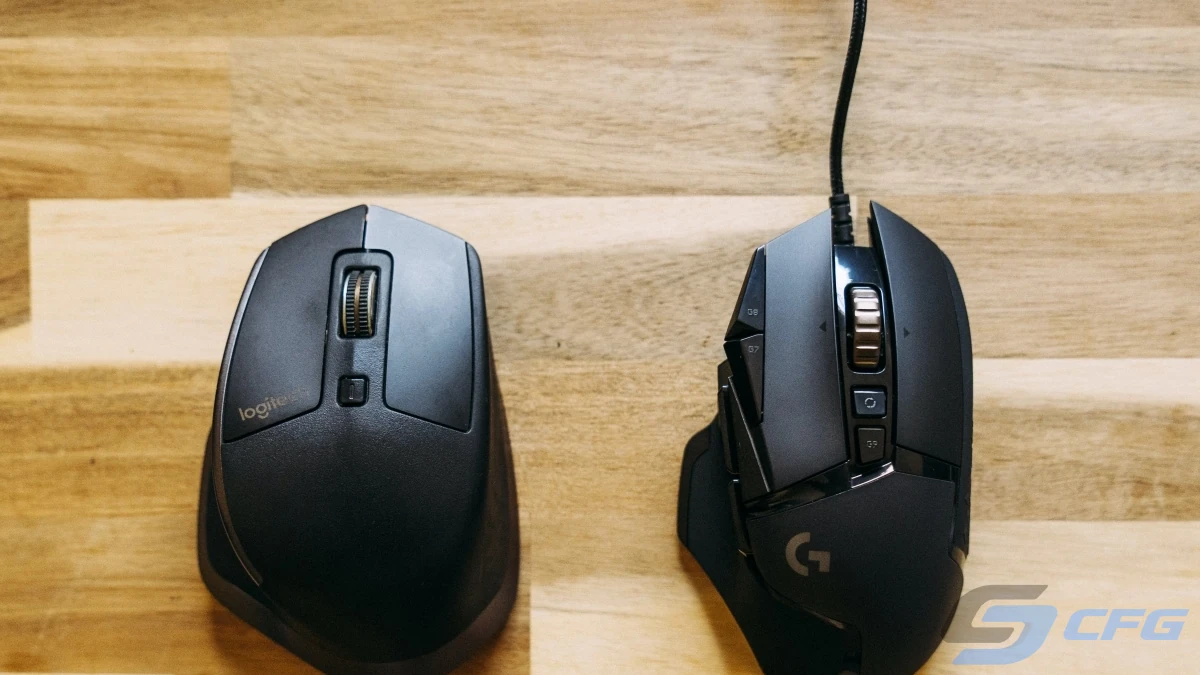
Today, the situation has completely changed. Modern wireless gaming mice feature ultra-fast wireless technology, lightweight designs, and flagship optical sensors that rival - and often match - the performance of wired models. As a result, many of the world's best CS2 players now compete with wireless mice at Major Championships, IEM events, and BLAST tournaments.
This naturally raises an important question: Is a wired or wireless mouse better for Counter-Strike 2? Is it worth paying extra for a wireless model, or does a traditional wired gaming mouse still make more sense? In this guide, we'll compare both options, explain the real differences, debunk common myths, and help you choose the best gaming mouse for your budget.
Why Your Mouse Matters in Counter-Strike 2
Every action you perform in Counter-Strike 2 depends on your mouse. Whether you're landing headshots, controlling recoil, clearing angles, tracking moving opponents, or hitting lightning-fast flick shots, your mouse plays a critical role in your overall performance.
Unlike many other games, CS2 rewards precision above everything else. Even a few milliseconds of additional delay, an inconsistent sensor, or an uncomfortable shape can affect the outcome of a duel. That's exactly why professional players spend so much time choosing the right mouse alongside optimizing their sensitivity, crosshair, and monitor settings.
A quality gaming mouse for CS2 should offer:
- a high-end optical sensor with flawless tracking;
- minimal input latency;
- lightweight construction;
- an ergonomic shape that matches your grip style;
- durable and responsive switches;
- premium PTFE feet for smooth gliding.
These features benefit both beginners and experienced players. Even if you never plan to compete professionally, using a comfortable gaming mouse makes aiming more consistent and helps you improve faster.
Wired vs Wireless Mouse - Key Differences
The most obvious difference between the two is the cable. However, modern gaming mice differ in many other ways as well. Some players still believe wired mice are faster, lighter, and more reliable, while wireless models are only suitable for casual gaming or office work. Fortunately, this perception is outdated.
Leading gaming brands such as Logitech, Razer, ASUS, SteelSeries, Pulsar, Lamzu, VXE, and many others have invested heavily in wireless technology over the past few years. Today, their flagship wireless mice are regularly used on the biggest esports stages around the world.
If you compare two gaming mice from the same price category, the differences are surprisingly small.
| Feature | Wired Mouse | Wireless Mouse |
|---|---|---|
| Input Latency | Extremely Low | Extremely Low |
| Freedom of Movement | Limited by Cable | Maximum Freedom |
| Weight | Slightly Lighter (in some cases) | Nearly Identical on Modern Models |
| Battery Life | Not Required | Up to 150+ Hours |
| Price | Usually Lower | Slightly Higher |
As you can see, many of the traditional advantages of wired mice have disappeared. Thanks to improved battery technology, energy-efficient sensors, and lightweight materials, modern wireless gaming mice now offer exceptional battery life without adding significant weight.
Does Input Lag Really Matter?
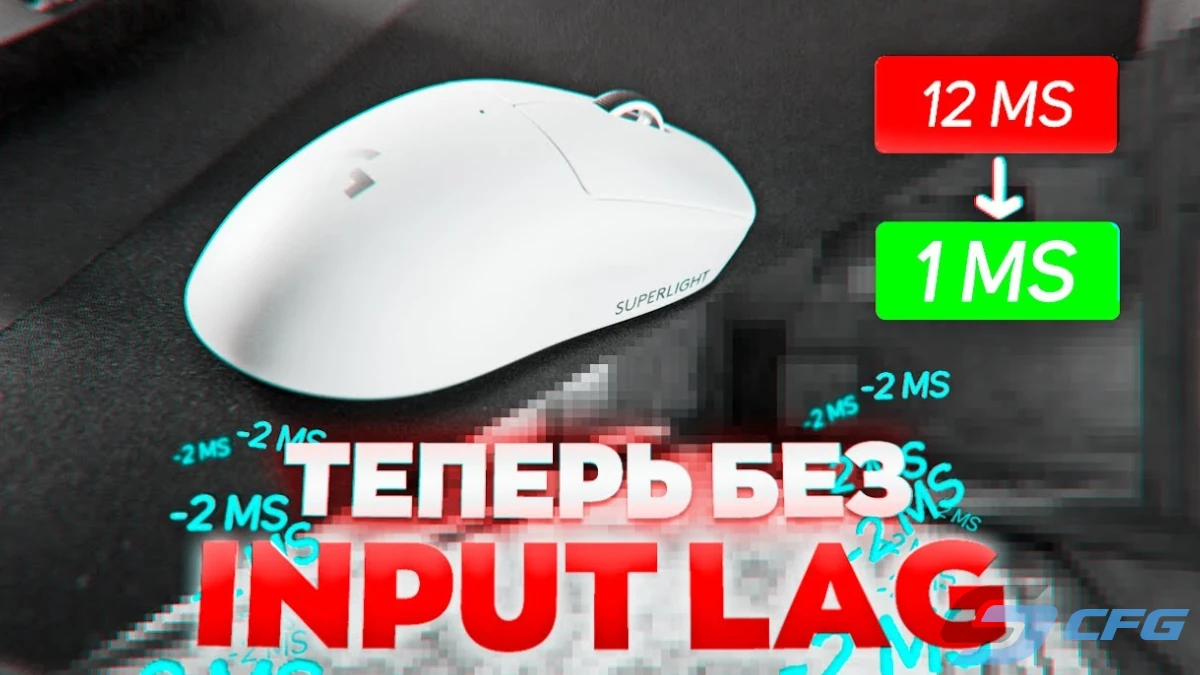
For years, input latency was the biggest argument in favor of wired mice. Early wireless models often suffered from noticeable delays and unstable connections, making them unsuitable for competitive FPS games.
Modern gaming mice are a completely different story. Instead of relying on Bluetooth, they use dedicated high-speed 2.4 GHz wireless technology with polling rates of 1000 Hz, 4000 Hz, and even 8000 Hz. As a result, input latency is virtually identical to a wired connection, often measuring only a few milliseconds.
This is exactly why professional CS2 players confidently use wireless mice during LAN tournaments. If wireless latency were still an issue, esports organizations and top players would have switched back to wired devices long ago.
The only exception is Bluetooth connectivity. Bluetooth is designed for convenience rather than competitive gaming and typically introduces noticeably higher latency. For Counter-Strike 2, always use your mouse's dedicated USB receiver instead.
Bottom Line: A modern wireless gaming mouse connected through its dedicated USB receiver delivers virtually the same responsiveness as a wired mouse, making it an excellent choice for competitive Counter-Strike 2.
Why Mouse Weight Matters in Counter-Strike 2
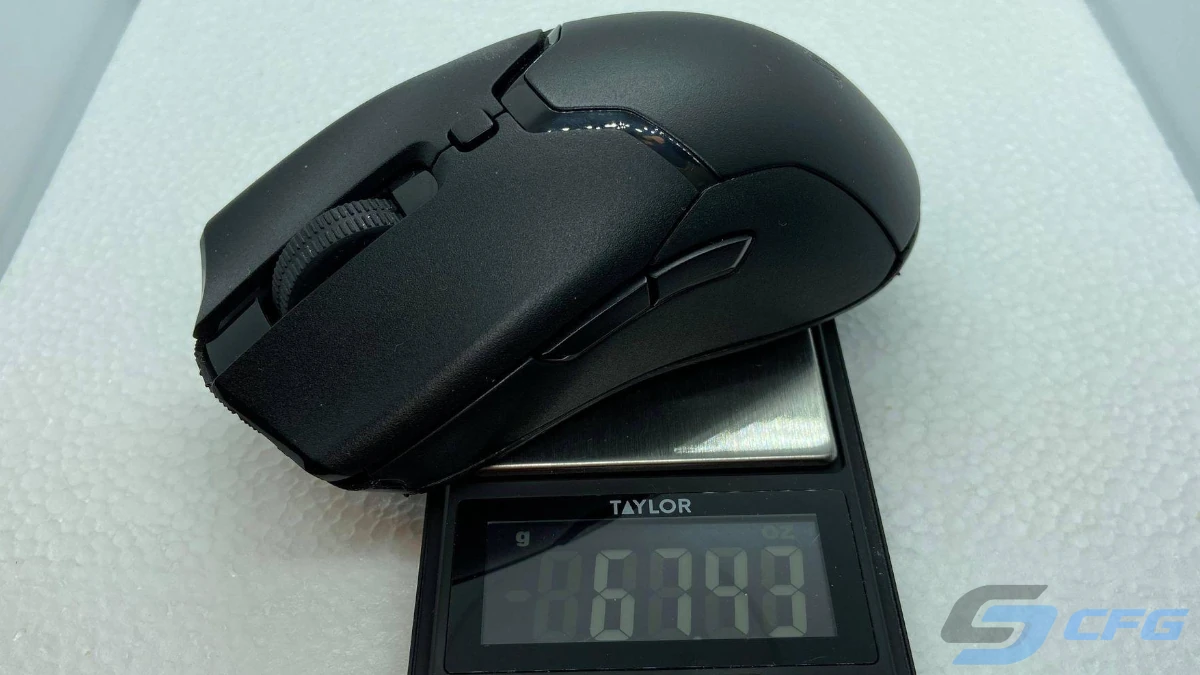
A few years ago, gaming mice weighing over 100 grams were considered perfectly normal. Today, the industry has shifted dramatically. Manufacturers are constantly reducing weight because lighter mice allow for faster movements, improved precision, and less wrist fatigue during long gaming sessions.
In Counter-Strike 2, every movement counts. Players constantly perform flick shots, control recoil, clear angles, and quickly transfer their crosshair between targets. A lighter mouse makes these actions feel smoother and requires less physical effort, especially during intense competitive matches.
Most modern esports mice now weigh between 45 and 65 grams. These lightweight models have become the standard among professional CS2 players thanks to their excellent balance of speed, comfort, and precision.
| Mouse Weight | Recommendation for CS2 |
|---|---|
| Under 50 g | ★★★★★ Excellent for competitive play |
| 50-60 g | ★★★★★ Ideal for most players |
| 60-75 g | ★★★★☆ Comfortable for everyday gaming |
| 75-90 g | ★★★☆☆ Acceptable but slightly heavy |
| Over 90 g | ★★☆☆☆ Not recommended for competitive CS2 |
That said, weight should never be the only deciding factor. A mouse that perfectly fits your hand will almost always feel better than an ultra-light model with an uncomfortable shape. Comfort and grip style are just as important as shaving off a few grams.
How Long Does a Wireless Gaming Mouse Last?
Battery life is still one of the biggest concerns for players considering a wireless gaming mouse. Many people assume they'll have to recharge it every day, but modern hardware has made this concern largely irrelevant.
Today's flagship gaming mice use highly efficient optical sensors and optimized wireless chipsets, allowing them to run for dozens-or even hundreds-of hours on a single charge.
| Mouse Category | Typical Battery Life |
|---|---|
| Budget Models | 40-70 Hours |
| Mid-Range Models | 70-120 Hours |
| Premium Flagships | Up to 150-200 Hours |
Even if you play Counter-Strike 2 for several hours every day, most wireless mice only need charging once every couple of weeks. Many models also support fast charging, providing several hours of gameplay after just 10-15 minutes connected to a cable.
Some premium ecosystems even include wireless charging mouse pads or dedicated charging docks, allowing the battery to recharge automatically while you're not playing.
Tip: Charging your mouse once a week is usually enough to avoid ever running out of battery during a competitive match.
Is a Wireless Mouse Worth the Extra Cost?
Not long ago, the price difference between wired and wireless versions of the same mouse could exceed $100. Today, competition between manufacturers has dramatically lowered prices, making high-performance wireless gaming mice much more affordable.
If you're shopping on a tight budget, a quality wired mouse is still an excellent choice. You'll get an accurate sensor, responsive switches, and virtually zero latency at a lower price.
However, if your budget allows for a slightly larger investment, a wireless model is often the better long-term purchase. The extra freedom of movement alone makes a noticeable difference, especially in fast-paced FPS games like Counter-Strike 2.
Modern wireless gaming mice offer several important advantages:
- complete freedom of movement without cable drag;
- a cleaner and more organized gaming setup;
- no need for a mouse bungee;
- state-of-the-art optical sensors;
- excellent battery life;
- a wide variety of shapes and sizes.
If the price difference is only around $20-40, choosing the wireless version is usually the smarter investment.
Which Mouse Is Better for CS2?
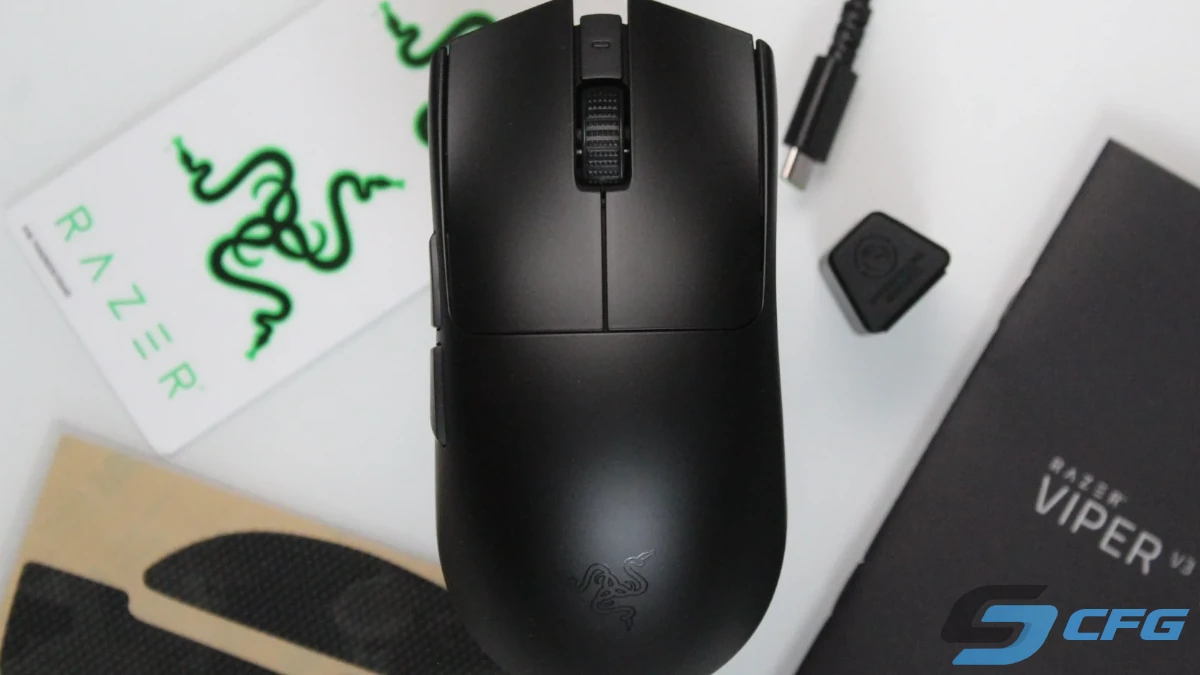
For most players in 2026, the answer is simple: a modern wireless gaming mouse.
Today's wireless models deliver the same level of responsiveness as wired mice while eliminating cable drag completely. They provide greater freedom of movement, excellent battery life, and outstanding tracking performance, making them the preferred choice for competitive gaming.
That doesn't mean wired mice are obsolete. They're still an excellent option for players with limited budgets or those who simply prefer a traditional setup. However, when comparing two similarly priced models, the wireless version usually offers the better overall experience.
Best Wireless Gaming Mice for CS2 in 2026
The following gaming mice are among the strongest choices for Counter-Strike 2. They feature top-tier optical sensors, lightweight construction, excellent battery life, and are trusted by both casual players and professional esports athletes.
| Mouse | Weight | Best For |
|---|---|---|
| Logitech G Pro X Superlight 2 | 60 g | Overall Best Choice |
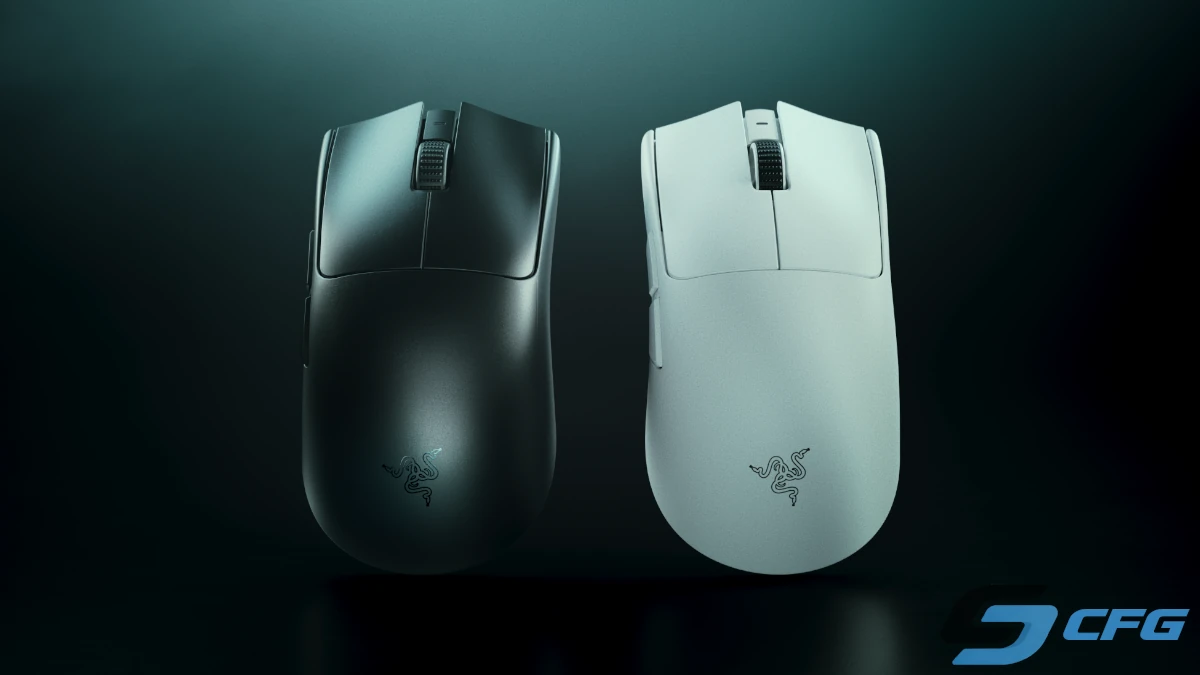
| Razer Viper V3 Pro | 54 g | Competitive FPS Players |
| Pulsar Xlite V4 | 52 g | Ergonomic Grip Lovers |
| Lamzu Maya | 45 g | Ultra-Lightweight Performance |
| VXE MAD R | 42 g | Best Value for Money |
| ASUS ROG Keris II Ace | 54 g | Palm Grip Users |
| WLMouse Beast X Max | 42 g | Premium Magnesium Design |
All of these models support at least a 1000 Hz polling rate, use flagship optical sensors, and are perfectly suited for both casual matchmaking and professional Counter-Strike 2 competition.
What Gaming Mouse Do Professional CS2 Players Use?
If you watch tournaments such as the Counter-Strike 2 Major, IEM, or BLAST Premier, you'll quickly notice one trend: the vast majority of professional players now compete with wireless gaming mice. Years ago, wired mice dominated the esports scene, but today's wireless technology offers virtually identical performance while providing complete freedom of movement.
That doesn't necessarily mean you should buy the exact mouse used by your favorite pro player. Hand size, grip style, and personal preferences all play an important role. However, professional players spend thousands of hours practicing and competing, so their equipment choices are often an excellent starting point.
| Player | Team | Gaming Mouse | Connection |
|---|---|---|---|
| donk | Team Spirit | Logitech G Pro X Superlight 2 | Wireless |
| m0NESY | Falcons | Logitech G Pro X Superlight 2 DEX | Wireless |
| ZywOo | Team Vitality | Pulsar Xlite V4 eS | Wireless |
| NiKo | Falcons | Razer DeathAdder V3 Pro | Wireless |
| ropz | Team Vitality | Razer Viper V3 Pro | Wireless |
| b1t | NAVI | Logitech G Pro X Superlight 2 | Wireless |
| sh1ro | Team Spirit | Logitech G Pro X Superlight 2 | Wireless |
| frozen | FaZe Clan | Razer Viper V3 Pro | Wireless |
One thing becomes immediately obvious: Logitech and Razer dominate the professional Counter-Strike scene. Their flagship models combine lightweight construction, excellent battery life, flawless sensors, and outstanding reliability, making them the preferred choice for many of the world's best players.
How to Choose the Right Gaming Mouse for CS2
There is no such thing as a perfect gaming mouse for everyone. Even the most expensive model can feel uncomfortable if it doesn't match your hand size or grip style. Instead of focusing only on price or brand, pay attention to the features that actually affect your gameplay.
Mouse Size
The size of your mouse has a significant impact on comfort and control. A mouse that's too small may cause hand fatigue, while one that's too large can limit your movement and reduce precision.
| Hand Size | Recommended Mouse Size |
|---|---|
| Under 17 cm | Small |
| 17–19 cm | Medium |
| Over 19 cm | Large |
If possible, try holding a mouse before buying it. If that's not an option, compare its dimensions with your current mouse to get a better idea of how it will feel.
Mouse Shape
Gaming mice generally fall into two categories:
- Symmetrical mice – Suitable for most grip styles and widely preferred by professional FPS players.
- Ergonomic mice – Designed to fit the natural shape of your hand, making them especially comfortable for Palm Grip users.
If you're buying your first serious gaming mouse, a symmetrical design is usually the safest choice because it works well for the majority of players.
Grip Styles
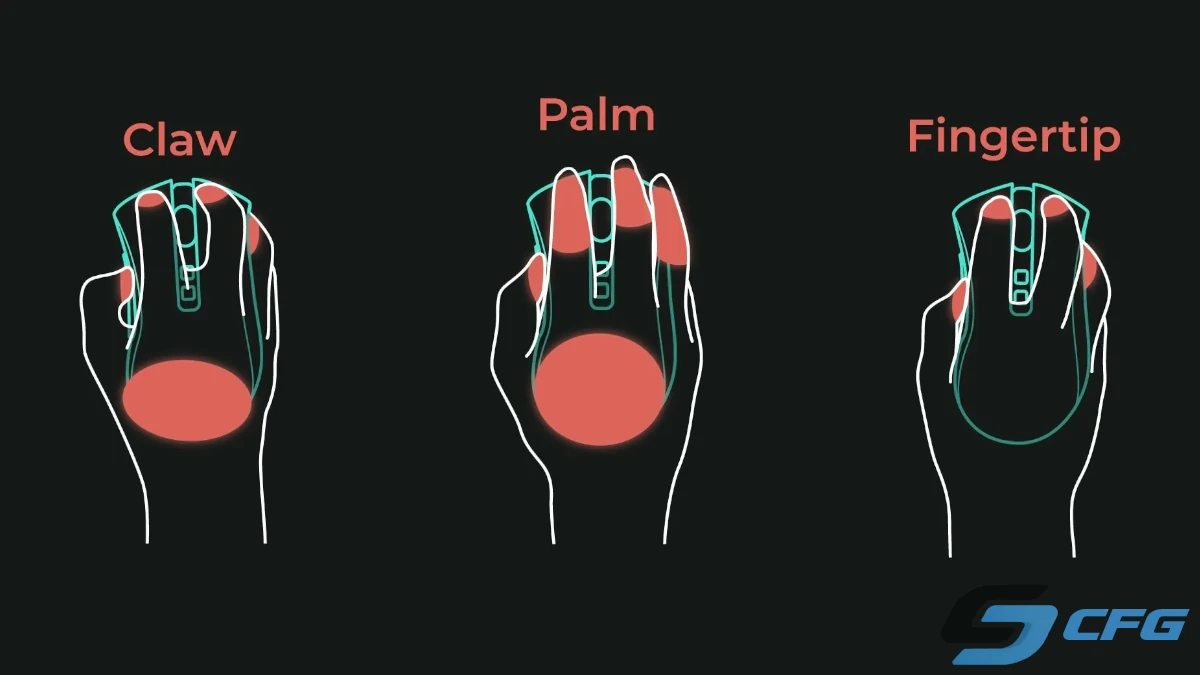
Your grip style has a major influence on which mouse will feel the most comfortable. Manufacturers often design specific models with certain grip styles in mind.
| Grip Style | Description |
|---|---|
| Palm Grip | Your entire palm rests on the mouse, providing maximum comfort. |
| Claw Grip | Your fingers are slightly curled, offering excellent control and fast flick shots. |
| Fingertip Grip | Only your fingertips touch the mouse, allowing the fastest movements. |
Most professional Counter-Strike players use either Claw Grip or Fingertip Grip because these styles make rapid aiming adjustments easier during high-level competition.
What DPI Should You Use?
DPI (Dots Per Inch) determines how far your cursor moves when you move your mouse. Many people believe that a higher DPI automatically means better performance, but that's simply not true.
In reality, most professional Counter-Strike players use relatively low DPI settings because they provide greater precision and better recoil control.
| DPI | Recommended For |
|---|---|
| 400 | Professional-level precision |
| 800 | The most popular choice |
| 1600 | Players with low in-game sensitivity |
| 3200+ | Rarely used in competitive CS2 |
Recommendation: If you're new to Counter-Strike 2, start with 800 DPI. It's the most common setting among both casual and professional players.
Polling Rate Explained
Polling Rate measures how often your mouse reports its position to your computer every second. A higher polling rate means more frequent updates and potentially lower input latency.
| Polling Rate | Recommendation |
|---|---|
| 125 Hz | Outdated |
| 500 Hz | Acceptable |
| 1000 Hz | Recommended for most players |
| 4000 Hz | High-end competitive option |
| 8000 Hz | Maximum performance, but only a small real-world advantage |
While manufacturers heavily promote 4000 Hz and 8000 Hz polling rates, the practical difference between 1000 Hz and higher values is relatively small for most players. Unless you're already competing at the highest level, a 1000 Hz mouse is more than sufficient.
Other Features Worth Considering
Besides weight, shape, and sensor performance, there are several additional factors that can improve your overall gaming experience.
- 100% PTFE mouse feet for smoother gliding;
- High-quality optical or mechanical switches;
- Onboard memory for saving settings;
- A flexible cable for wired models;
- Reliable configuration software;
- Excellent build quality;
- Spare PTFE feet included in the box.
A truly great gaming mouse isn't defined by its price tag alone. The best choice is the one that feels natural in your hand and allows you to aim comfortably and consistently throughout every match.
Common Myths About Wireless Gaming Mice
Although wireless gaming mice have become the standard in professional Counter-Strike 2, many misconceptions still surround them. Most of these myths originated years ago when wireless technology was far less advanced than it is today. Let's take a closer look at the most common ones.
Myth #1. Wireless Gaming Mice Run Out of Battery Too Quickly
This may have been true a decade ago, but modern wireless gaming mice are built with highly efficient sensors and long-lasting batteries. Most premium models easily provide between 70 and 150 hours of continuous gameplay on a single charge.
Even if you play Counter-Strike 2 every day, you'll usually only need to recharge your mouse once every week or two. Many manufacturers also support fast charging, allowing you to get several hours of gameplay after charging for just 10–15 minutes.
For most players, battery life is no longer something to worry about.
Myth #2. Wireless Mice Have Higher Input Lag
This is probably the biggest misconception in the gaming community. Modern wireless gaming mice communicate through dedicated 2.4 GHz wireless receivers rather than standard Bluetooth connections.
As a result, today's flagship wireless mice offer nearly identical latency to wired models. This is one of the main reasons why the majority of professional Counter-Strike 2 players now compete using wireless devices during the world's biggest esports tournaments.
The only wireless technology that should generally be avoided for competitive gaming is Bluetooth, which introduces noticeably higher latency than dedicated gaming receivers.
Myth #3. Wired Mice Are More Accurate
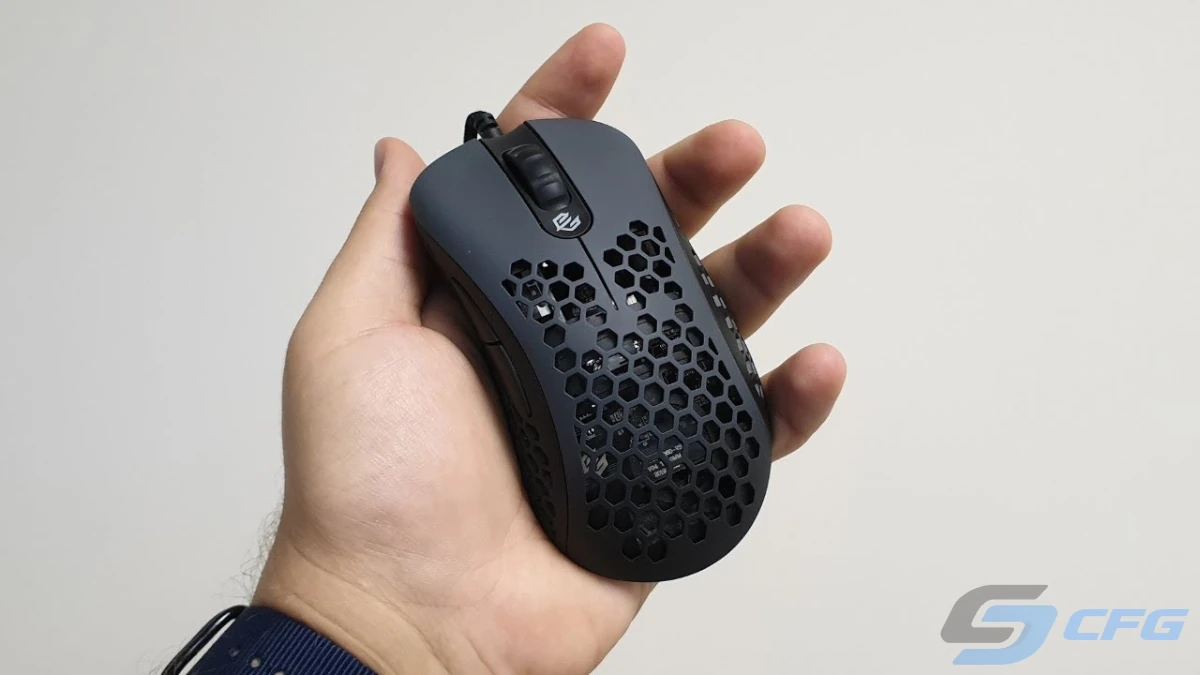
Accuracy depends on the quality of the optical sensor, mouse feet, build quality, and your own aiming skills-not on whether a cable is attached.
Modern flagship sensors from Logitech, Razer, PixArt, and other manufacturers provide flawless tracking regardless of whether the mouse is wired or wireless.
In fact, many players find wireless mice even easier to control because there is no cable creating drag or resistance during large arm movements.
Myth #4. Wireless Gaming Mice Are Too Heavy
Early wireless mice were noticeably heavier due to large batteries and older hardware. Today's premium gaming mice tell a completely different story.
Many flagship wireless models now weigh less than 50 grams, making them some of the lightest gaming mice ever produced. In many cases, the weight difference between wired and wireless versions is only a few grams-something most players won't even notice.
Gaming Mouse Buying Checklist for CS2
If you're still unsure which gaming mouse to buy, use the checklist below before making your decision.
| Feature | Recommended Specification |
|---|---|
| Connection | Wireless (2.4 GHz) or Wired |
| Weight | 45–65 grams |
| DPI | 400 or 800 |
| Polling Rate | 1000 Hz |
| Sensor | Modern PixArt or equivalent flagship sensor |
| Mouse Feet | 100% PTFE |
| Shape | Matches your hand size and grip style |
If a gaming mouse meets these requirements, it will deliver excellent performance in Counter-Strike 2 and remain a reliable choice for years to come.
Final Verdict
Choosing between a wired and wireless gaming mouse used to be a difficult decision. Today, modern wireless technology has eliminated nearly all of the disadvantages that once made competitive players avoid wireless devices.
If your budget allows, investing in a high-quality wireless gaming mouse is usually the best choice. You'll enjoy unrestricted movement, exceptional battery life, ultra-low latency, and outstanding comfort during long gaming sessions.
That doesn't mean wired mice have become obsolete. A good wired gaming mouse still offers excellent performance at a lower price and remains a fantastic option for budget-conscious players.
Ultimately, the best gaming mouse for Counter-Strike 2 is the one that fits your hand comfortably, matches your preferred grip style, and gives you complete confidence during every match.
Remember that buying an expensive gaming mouse won't instantly improve your aim. Consistent practice, proper sensitivity settings, and a comfortable setup will always have a greater impact on your long-term performance.
Frequently Asked Questions
Is a wired or wireless mouse better for CS2?
Modern wireless gaming mice perform virtually the same as wired models while providing complete freedom of movement. For most players, a wireless gaming mouse is the better overall choice.
Do wireless gaming mice have input lag?
Not when using a dedicated 2.4 GHz USB receiver. Modern wireless gaming mice offer latency that is nearly identical to wired models, making them ideal for competitive Counter-Strike 2.
What DPI should I use for Counter-Strike 2?
Most professional players use either 400 or 800 DPI. These settings provide excellent precision and remain the most popular choices among competitive players.
What is the ideal mouse weight for CS2?
A weight between 45 and 65 grams is generally considered ideal. Lightweight mice reduce wrist fatigue and make fast flick shots easier to perform.
Should I buy a mouse with a 4000 Hz or 8000 Hz polling rate?
For most players, a 1000 Hz polling rate is more than enough. Higher polling rates offer only minor improvements that are difficult to notice during regular gameplay.
Can I play Counter-Strike 2 using Bluetooth?
While it's possible, Bluetooth isn't recommended for competitive gaming because it introduces higher latency than dedicated 2.4 GHz wireless technology.
Random CS2 Guides
22 June 2026 Settings
Learn about the most popular crosshair types in CS2, including classic, dot, T-style, static, and dynamic crosshairs. Find out which crosshair is best for your playstyle and improve your aiming accuracy.
08 June 2026 Tutorial
Complete guide to all Counter-Strike 2 maps in 2026. Explore the current CS2 competitive map pool, casual maps, Wingman maps, tournament maps, and possible future map updates.